
WordPress AI Chatbot: your website already answers. But how often does it sell?
Sabriel AI is the WordPress AI chatbot that talks like your best consultant: it books appointments, prepares quotes and tells you who's ready to buy. With your brand, in the language of whoever's writing, twenty four hours a day.
Free forever, on as many sites as you want. No credit card required.
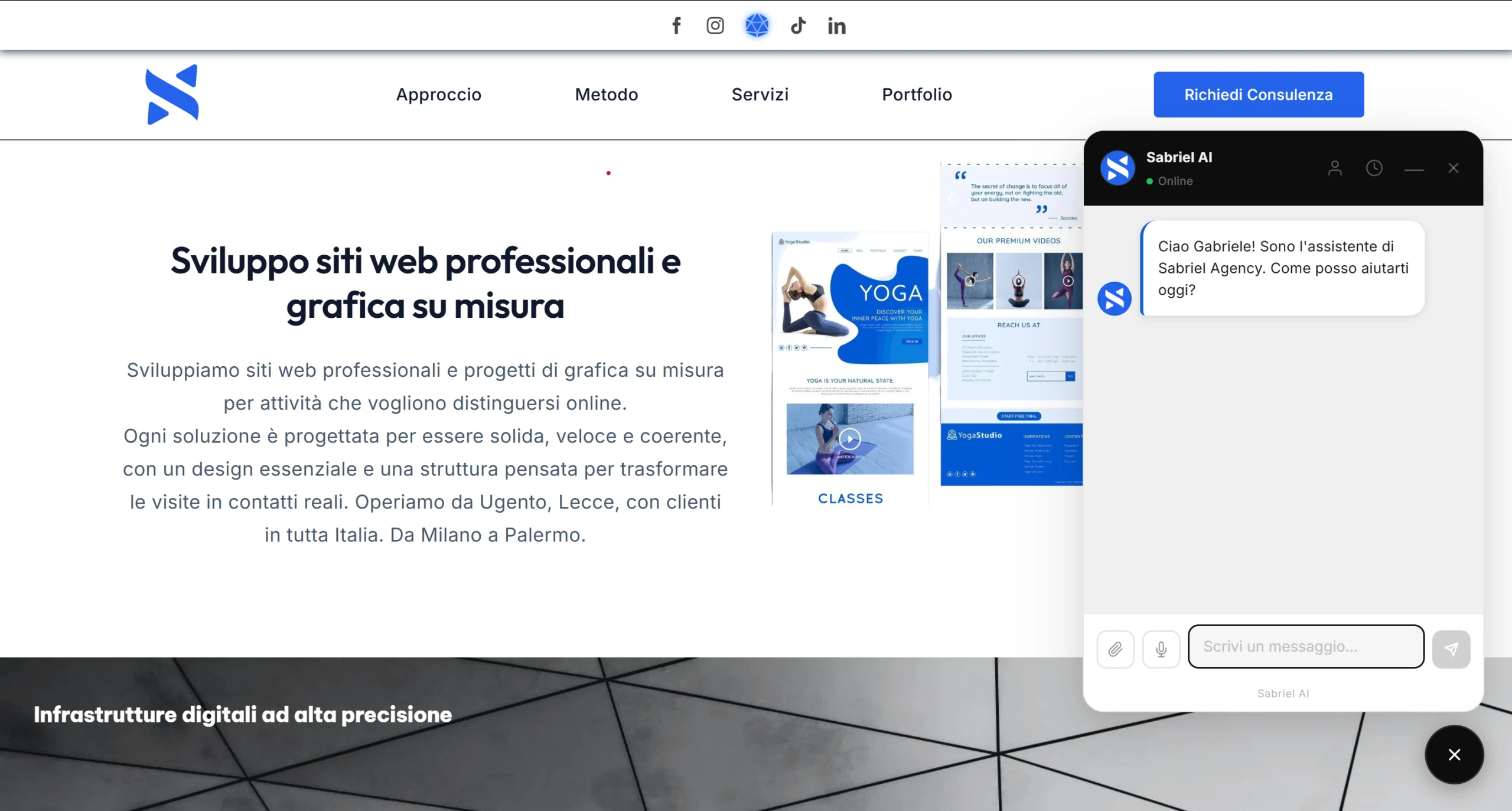
The problem isn't traffic
You've invested in your website. You pay for advertising, you take care of the content, you bring in visitors. Then the same thing always happens: the truly interested person asks a question, the chatbot answers with a generic sentence, the price can't be found, booking isn't possible, and they put it off for later. Later, almost always, they don't come back.
It's not a problem of how many people arrive. It's a problem of what happens when they arrive. Every visitor who leaves undecided is a customer handed over to whoever answered them better.
A well designed WordPress AI chatbot exists exactly for this moment. If the problem also concerns the site's structure before the chat even comes into play, read our guide on how to build a homepage that sells.
What changes with Sabriel AI
It's built specifically for WordPress, the platform that powers more than 4 out of 10 websites in the world. It's not the classic WordPress AI chatbot that just answers and nothing else: it knows your services, your prices, your hours and your pages, and has a single goal, taking the conversation all the way to the step that matters. A document, an appointment, a qualified lead. Below you'll find what changes in practice; if you're after the full technical sheet, we wrote it in the complete guide to Sabriel AI.
Talks like a consultant, not like a form
It understands what the visitor needs and responds with expertise, in their language, whatever it may be. It listens to voice messages, reads the PDFs and images you send it, recognizes who's already been there before. And it takes prices from your price list: it doesn't make one up, not even if you ask it to.
Sets itself up by reading your homepage
The first time you turn it on, a guided setup reads your main page with artificial intelligence and already suggests a tagline and a tone of voice consistent with how you present yourself. It also picks up the business name, website and email from WordPress on its own, and the address from WooCommerce if you use it. Start from seven ready-made tones (e-commerce, professional firm, salon, restaurant, medical practice, artisan, real estate agency) and only correct what you want. It's not mandatory: you can skip it in one click and set everything up later, from the same fields. A WordPress AI chatbot that shows up already ready on first launch saves hours of manual setup.
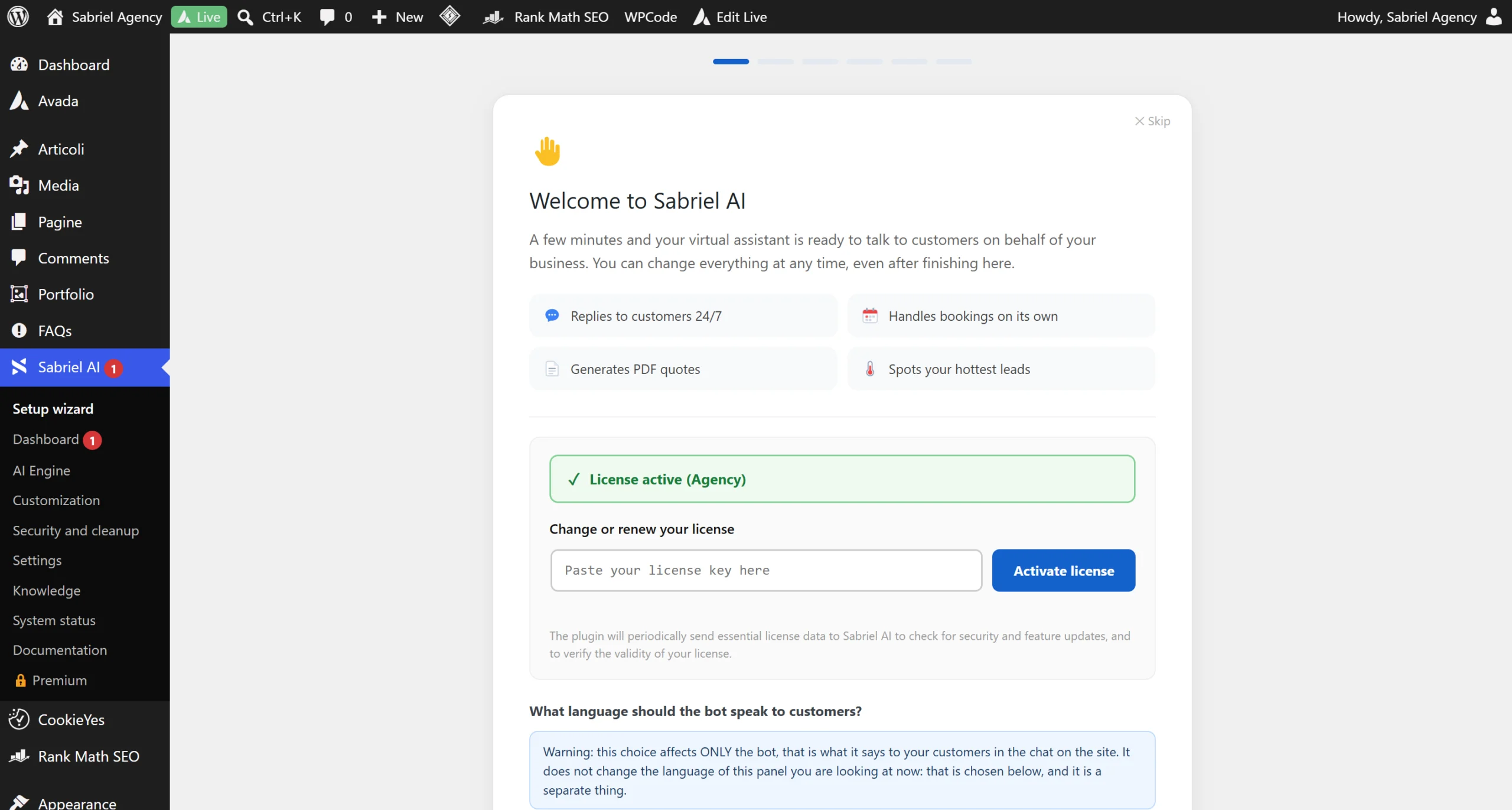
Books appointments in your place
The visitor books, reschedules or cancels right inside the chat, on your real hours and in your website's timezone. With capacity set to one, two people can't take the same slot; if you set more slots per time frame, the calendar stops once that time frame is full. The same address can't book twice. And to reschedule or cancel, the link sent to their email is required, so no one touches someone else's appointment. It's automation that goes beyond the classic WordPress AI chatbot: it manages appointments on its own, not just answers.
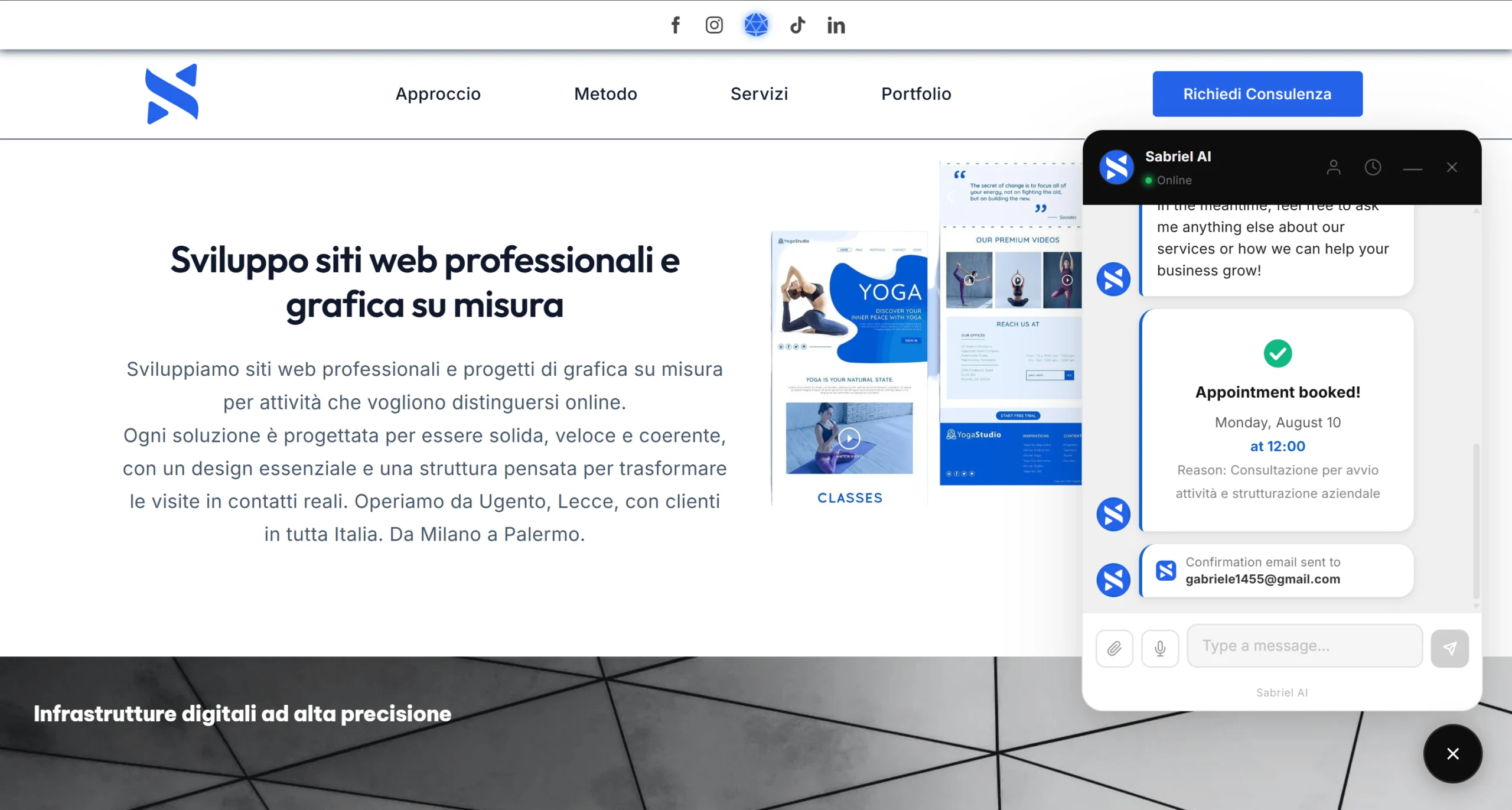
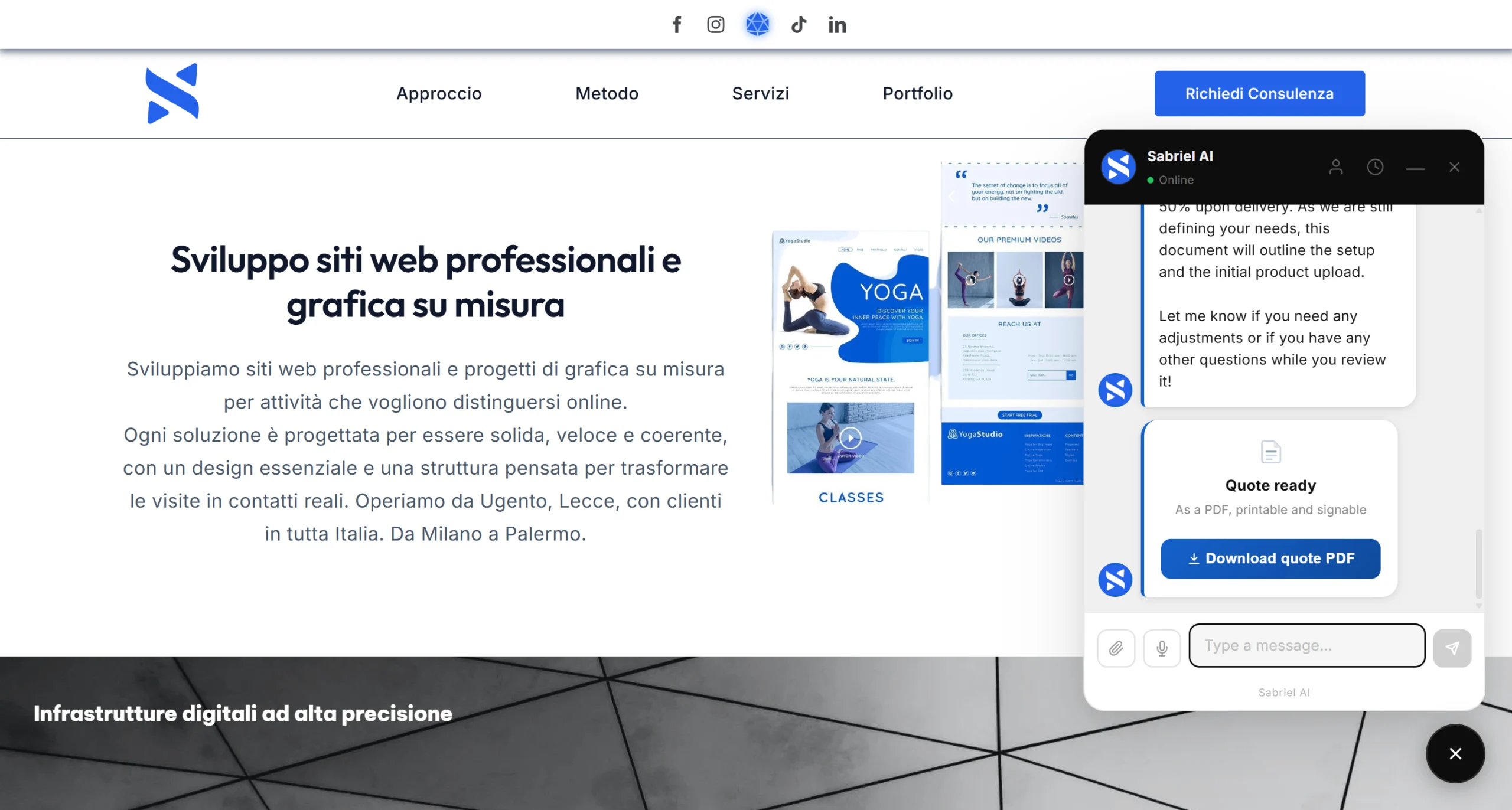
Prepares quotes while you do other things
During the conversation it generates a PDF with your logo, your sequential number, the calculated VAT line, the payment structure you decided on (deposit, half upfront, on delivery), your contract terms and space for a signature. The file ends up in a protected folder, with a name containing twelve random characters, and only opens with a signed link: the address can't be guessed. And the plugin checks on its own whether your hosting really respects the rule, by trying to download a fake file from outside: if it succeeds, it tells you in System Status and gives you the rule to pass on to support. It's rare to find a WordPress AI chatbot capable of generating complete documents during the conversation itself.
Tells you who's ready to buy, and why
Every conversation gets classified as hot, warm or cold, and along with the score you get the sentence explaining why and the service being discussed. You don't have to read a single chat. Whoever was hot but didn't close gets a follow up on the third and seventh day, whoever was warm on the sixth and fourteenth, cold ones never. And if they book or ask for a quote in the meantime, the follow ups stop on their own. It's the kind of automatic qualification that goes beyond what any ordinary WordPress AI chatbot offers.
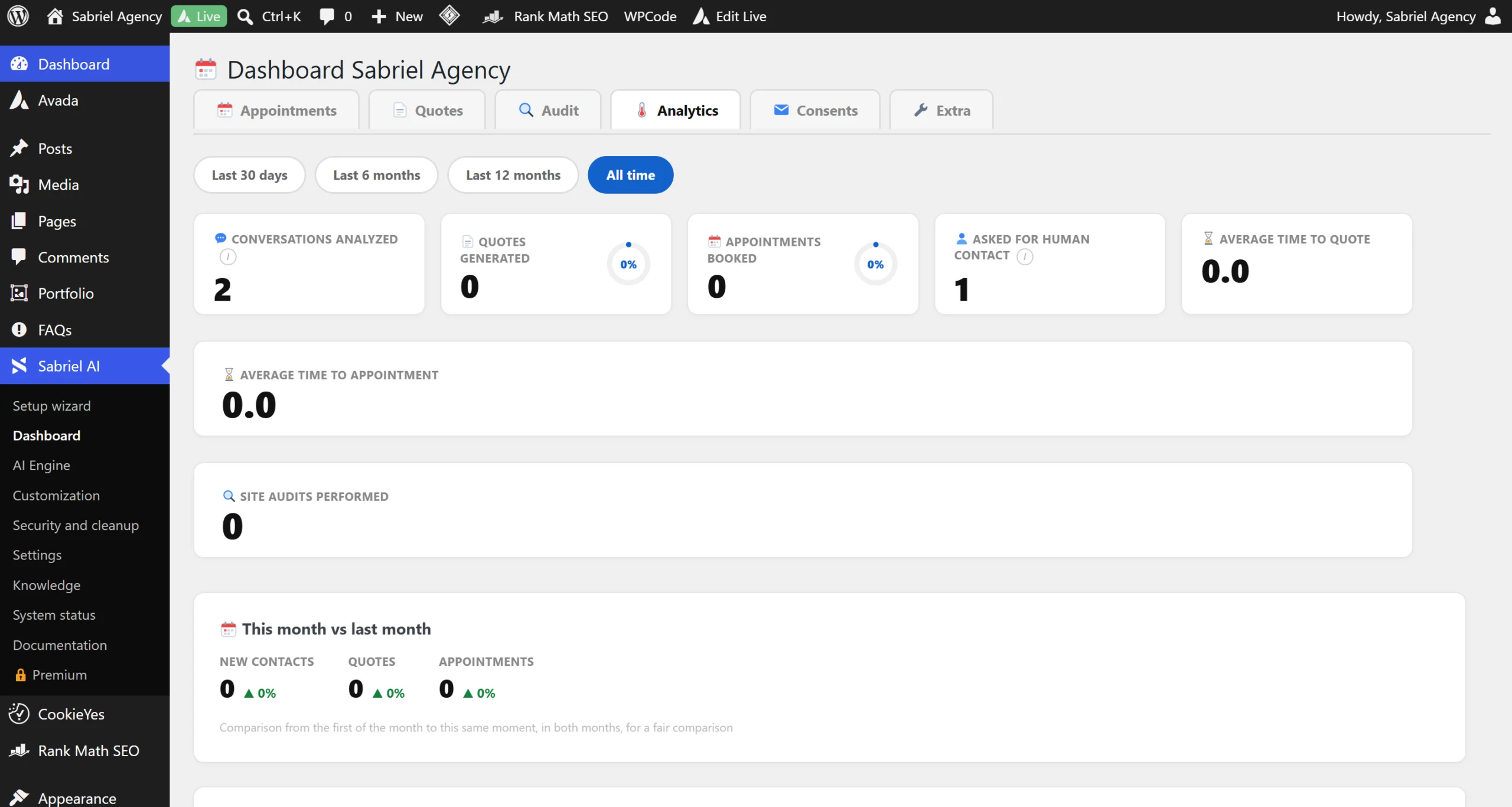
Reads your website and answers with what's actually written there
You choose up to forty pages and the bot actually reads them, one by one, and for each one writes a summary you can correct. From that moment on, to the question "do you offer support after delivery?" it no longer answers "you'll find everything on the Services page", but "yes, three months are included, then it renews: shall I prepare you a quote?". If you edit a page, it re-reads it on its own. This ability to read autonomously is what sets an advanced WordPress AI chatbot apart from a simple form with predefined answers.
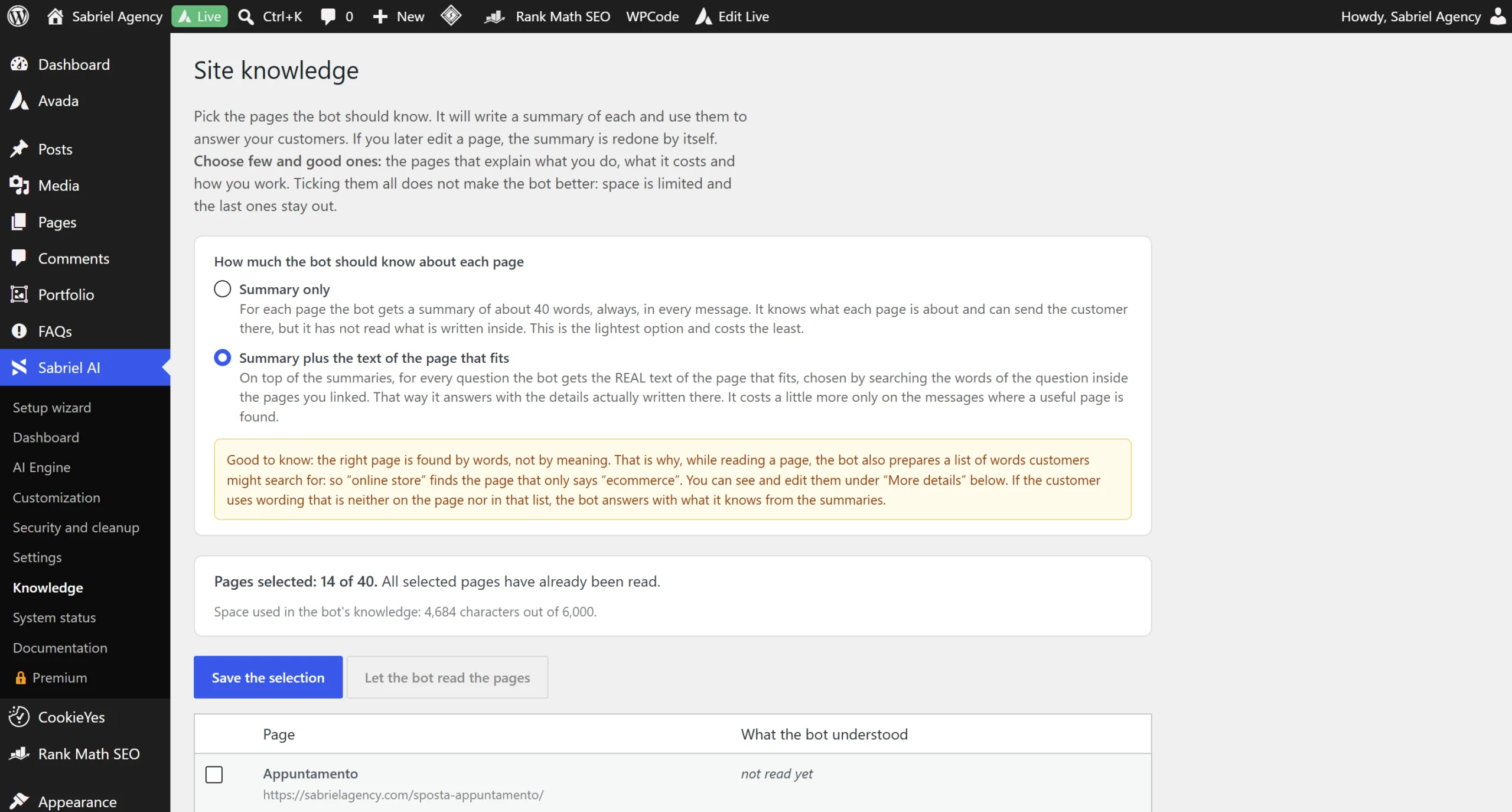
Shows your work instead of describing it
When a visitor asks to see examples, the assistant makes cards appear right inside the chat, with a real image, title and link, pulled from WooCommerce, from the theme's portfolio, from a page or from the blog. Visual details matter too when evaluating a WordPress AI chatbot designed to convert, not just to answer.
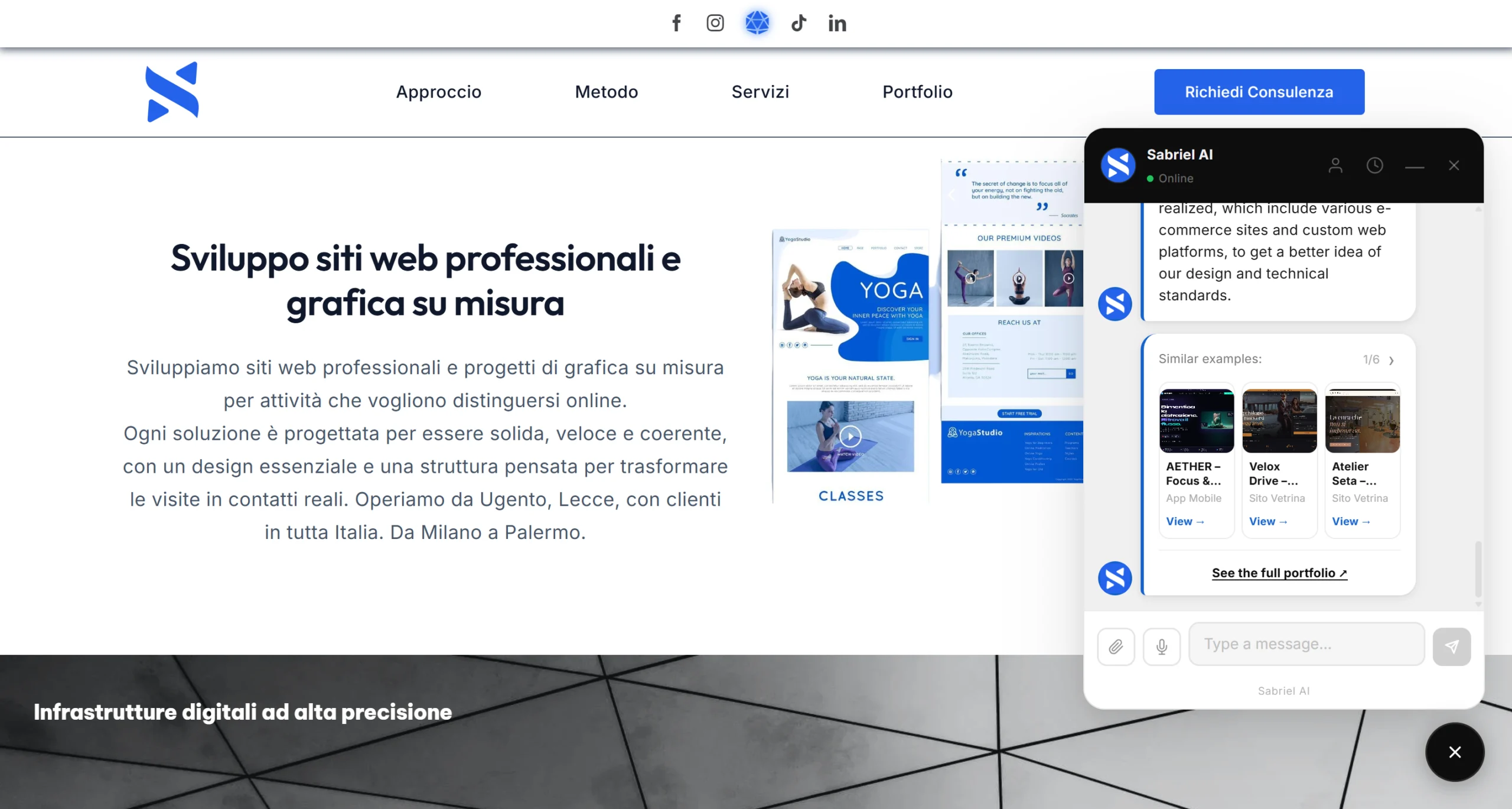
It's yours, not ours
Name, logo, all the colors, the font, the shape of the button, the welcome message. The chat footer loses the "Powered by Sabriel AI" text. On your client's website it looks like a tool built by you. A fully white label WordPress AI chatbot is exactly what's needed by whoever resells it to their own clients.
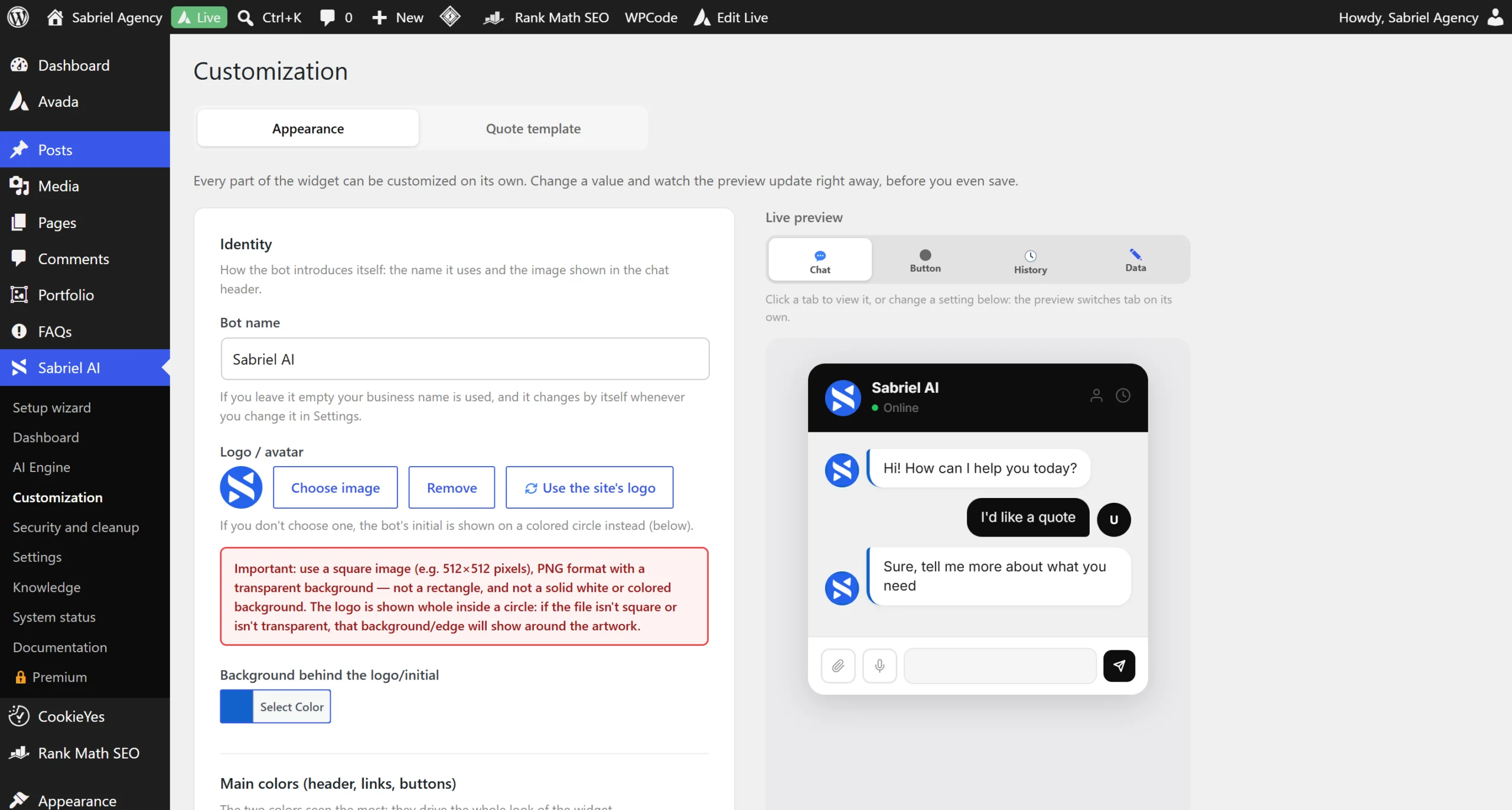
And the data?
Conversations, appointments, quotes and reports stay in your WordPress site's database. They don't pass through any server of ours: your site talks directly to the AI provider you chose, with your own key. The only thing the paid plugin contacts is the license store, to check that the license is still valid: no customer data, and usage statistics collection is off by default. The AI key is yours, saved encrypted, and you pay the provider directly. The plugin registers itself with WordPress's privacy tools, so an access or deletion request is handled with the two buttons WordPress already has. And from every dashboard tab you can download everything into a file that opens with Excel, even on the day the license expires. Data ownership is probably the most important question to ask any WordPress AI chatbot before installing it.
If you run an agency, read this part twice
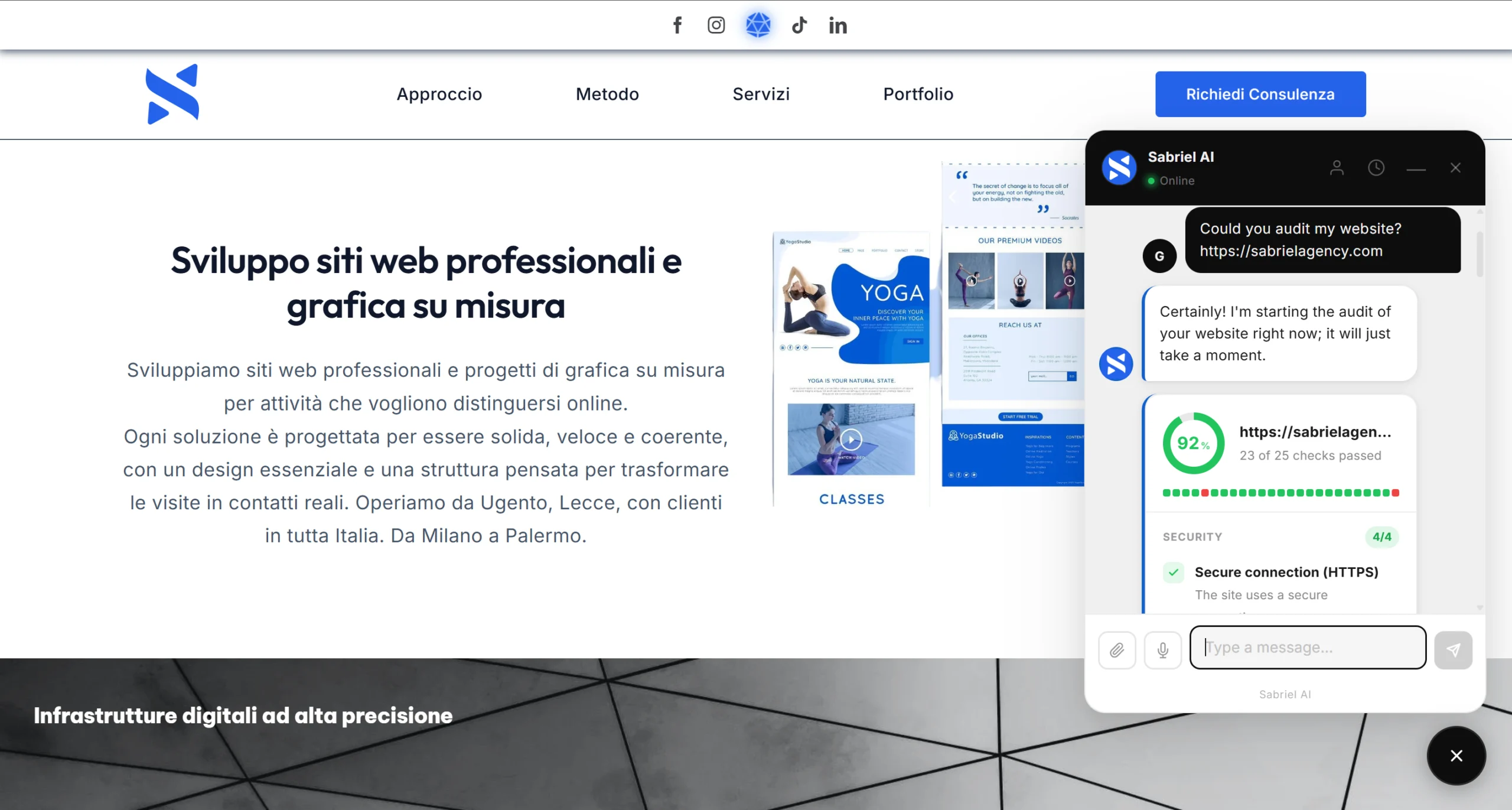
The assistant offers the visitor a free check of their website. It runs up to twenty five real checks, divided into four areas: security, visibility on Google, experience and speed, trust. And when a check can't answer with certainty, the report names it and says why, instead of marking it as negative: on a document you send to a potential client, one item missing is worth more than one item wrong. What comes out of it is a percentage score and a PDF report that reaches both you and them.
The point is how that report is written: it lists the problems and never says how to fix them. It's not an oversight, it's a rule written into the bot. The solution is you.
And the configuration exports with a button: you set up the first site the way you want (tone, price list, hours, colors, PDF template), save the file and load it back onto the second one. You don't start from scratch with every client.
Your client gets a free diagnosis of their website, you get a name, an email and a concrete reason to call them back. With a Studio or Agency license you install it on the sites you manage, all under your own brand, and each of those sites starts generating work for you from its own visitors. For an agency, a WordPress AI chatbot that generates work from client sites is a multiplier, not just a tool. Every client you manage becomes another site where the same WordPress AI chatbot works for you.
And there's more under the hood
The portfolio inside the chat distinguishes a project from a product from a blog post, on purpose. When a visitor asks "show me something you've made", the assistant doesn't offer them a blog post passing it off as a project. It sounds like a small detail; it's the difference between a tool that makes you look good and one that makes you look bad in front of a potential client.
- Conversation history retrievable from another device with a signed link
- Mailchimp with genuine double opt in, one click unsubscribe, contacts already tagged hot, warm or cold
- Consent log with date, as proof
- Nine WordPress security protections, all off by default and all reversible without touching a file
- Database cleanup, schedulable too
- Cookieless visit statistics
- Quotes and appointments you can also create by hand, for the client who called you
- Automatic alert when a quote goes over the amount you set
- When it understands a real person is needed, the bot shows your contact details and leaves the visitor a box to write to you right away: the message reaches you by email, without using up a request to the AI engine
- Password protected content never ends up among the examples in chat nor in the website's knowledge base
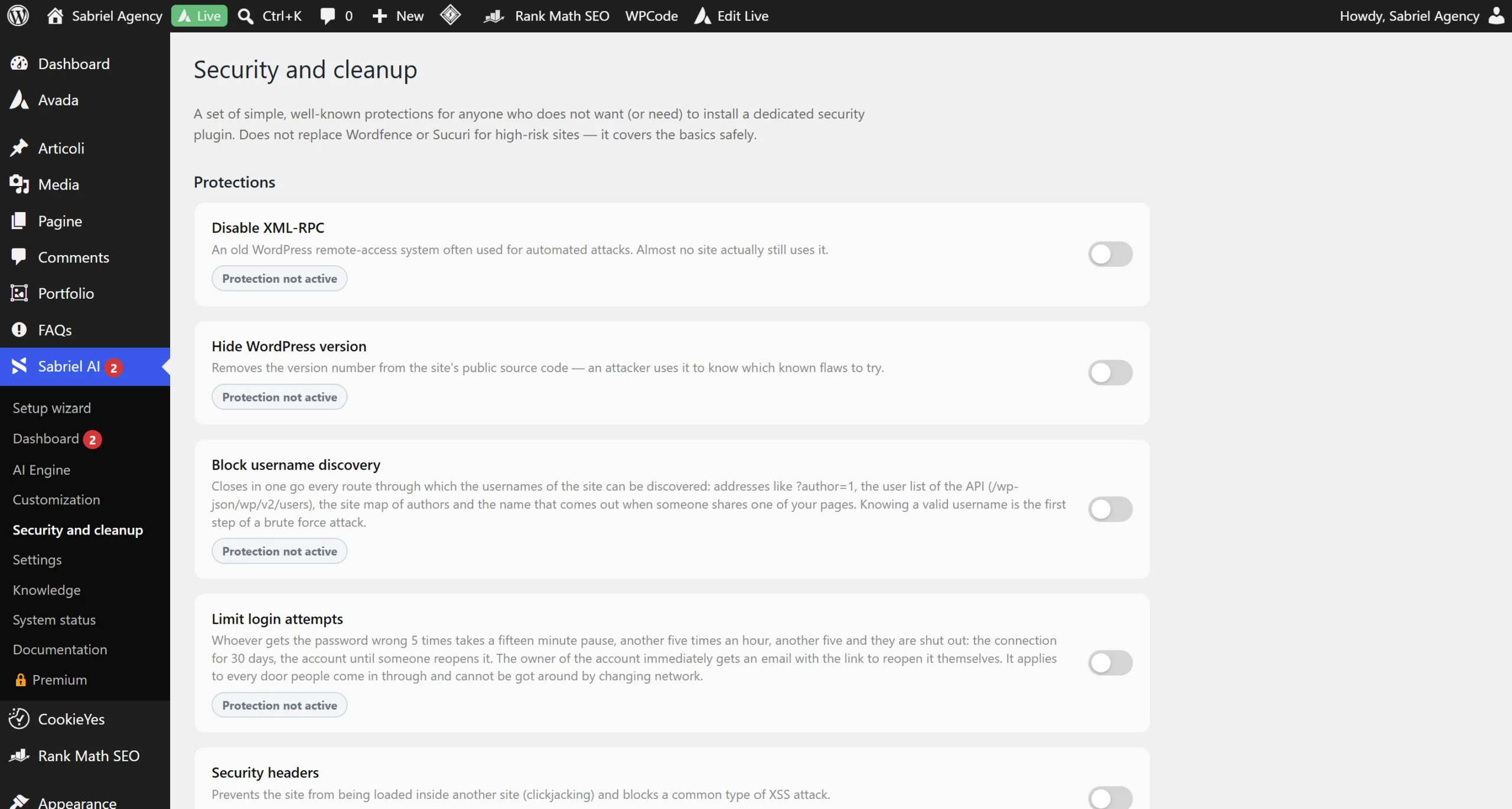
Every feature listed above is part of the same WordPress AI chatbot, not separate modules to buy one at a time. To understand why security protections really matter, read our guide on WordPress site security.
You don't have to learn everything today. Turn on what you need now, the rest is there for when you grow.
Want to see every single feature, with nothing glossed over?
This page tells you what changes for you. If instead you want the complete technical sheet, with the exact numbers, the stated limits and even the things the plugin does not do, we wrote it separately: which seventeen AI models you can select, how site knowledge really works, what a PDF quote contains, what the twenty-five website checks are, what leaves your site and what does not.
How much does a WordPress AI chatbot cost
Every plan activates the exact same WordPress AI chatbot. The only thing that changes is how many sites you can activate the license on: you'll never find an important feature locked behind a more expensive plan.
| Free | Pro | Studio | Agency | |
|---|---|---|---|---|
| Per month | $0 | $19 | $39 | $79 |
| Per year | — | $149 | $299 | $599 |
| One time | — | $399 | $749 | $1,490 |
| Sites | unlimited | 1 | 5 | 20 |
| What's included | ||||
| AI chat with your own key (Gemini, OpenAI or Claude) | ✓ | ✓ | ✓ | ✓ |
| Messages per day per visitor | You decide | |||
| Nine languages, bot and panel | ✓ | ✓ | ✓ | ✓ |
| Voice, PDF and image reading, WhatsApp, summaries | ✓ | ✓ | ✓ | ✓ |
| Widget colors and logo | Basic | Full | Full | Full |
| No branding of ours in the chat | ✓ | ✓ | ✓ | ✓ |
| Bookings with automatic emails | — | ✓ | ✓ | ✓ |
| PDF quotes with your brand | — | ✓ | ✓ | ✓ |
| Lead thermometer, follow ups and analytics | — | ✓ | ✓ | ✓ |
| Potential client website check | — | ✓ | ✓ | ✓ |
| Website knowledge, portfolio, history | — | ✓ | ✓ | ✓ |
| Mailchimp with double opt in and log | — | ✓ | ✓ | ✓ |
| WordPress security and database cleanup | — | ✓ | ✓ | ✓ |
| Dashboard and client management | — | ✓ | ✓ | ✓ |
| Automatic updates | From WordPress.org | ✓ | ✓ | ✓ |
Free
$0 forever, on unlimited sites
- AI chat with your own key (Gemini, OpenAI or Claude)
- Messages per day: you decide
- Nine languages, bot and panel
- Voice, PDF and image reading, WhatsApp, summaries
- Widget colors and logo (basic)
- No branding of ours in the chat
- Updates from WordPress.org
Pro, Studio, Agency
The exact same features across all three plans. The only thing that changes is how many sites the license covers.
- Pro, 1 site
$19/month · $149/year · $399 one time - Studio, 5 sites
$39/month · $299/year · $749 one time - Agency, 20 sites
$79/month · $599/year · $1,490 one time
Everything in the Free plan, plus:
- Full widget colors and logo
- Bookings with automatic emails
- PDF quotes with your brand
- Lead thermometer, follow ups and analytics
- Potential client website check
- Website knowledge, portfolio, history
- Mailchimp with double opt in and log
- WordPress security and database cleanup
- Dashboard and client management
- Automatic updates
A single appointment booked by the assistant is worth more than a year of licensing. Secure payment via Freemius, cancel whenever you want.
Frequently asked questions about the WordPress AI chatbot
Do I need to know how to code?
No. Every setting is a field, a toggle or a dropdown. There's a box for advanced CSS, for those who want it, and nothing depends on it.
Does it only work on WordPress?
The WordPress AI chatbot is the one you install yourself, on your own. If your site is on a different CMS or was custom built, our senior support team can still implement the same assistant on your site: it's a more involved job, so we handle it directly ourselves instead of letting you install it on your own. Request a free consultation to talk about it.
How much does the AI cost me?
You pay the provider directly, based on usage, and we don't take anything on top. In the panel, next to each model, you'll find the indicative price per million tokens, and the recommended one is already selected. Google Gemini has a free tier that's enough to get started.
Can the bot make up a price or a discount?
Prices are taken from the price list you write. If a request doesn't fit the price list, it says so and passes you the contact, instead of improvising a number. You can also set a threshold above which every quote arrives marked "high amount".
Where does my customers' data end up?
In your WordPress database. The only thing that leaves the site is the text the visitor writes, sent to the AI engine you chose with your own key, and the contacts you decide to send to Mailchimp. Nothing passes through us.
What happens if the license expires?
The chat keeps working. The paid modules turn off, your settings stay where you left them, and the links already sent to your customers to manage an appointment keep working. You can download the data to Excel whenever you want.
Does it work with my theme?
Yes. The widget loads its own stylesheet and its own script, with no external fonts and no trackers. It requires WordPress 6.8 or higher and PHP 7.4 or higher. In practice, the WordPress AI chatbot visually integrates with any theme without requiring additional customization.
Can I try it first?
The free version is on WordPress.org and never expires. When you upgrade to Pro, install the new package on top of the free one: if you delete the free plugin first and had turned on "also delete customer data", that checkbox does exactly what it promises. And if Pro then isn't right for you, you have thirty days to request a refund.
Where can I find the full list of features?
In the complete guide to Sabriel AI, where every feature is described in detail with the exact numbers: the seventeen AI models, the forty pages of site knowledge, the twenty-five website checks and the nine security protections. For configuring an individual setting there is instead the documentation, field by field.
And what if I end up not liking it?
There's no unconditional "money back guarantee, no questions asked", and let me explain why I don't think you need one.
Before paying you can install the free version, which is a real plugin with the full chat and nine languages, not a time limited trial, and see on your own site what the assistant is like, how it answers, how it's configured and what impression it makes on your visitors. That you actually get to try for real.
What isn't in the free version, meaning bookings, PDF quotes, lead thermometer and website check, I'll show it to you myself before you pay: ten minutes on a video call on a demo site, and you watch the assistant book an appointment and generate a quote live. Write to me and we'll set it up. It's the most honest way I've found to avoid asking you to buy sight unseen.
The refund remains for the case that actually matters: something doesn't work and we can't manage to fix it. Within thirty days of purchase, evaluated case by case. But write to me first, because it almost always gets resolved, which is why I handle the support myself.
Your website is already open twenty four hours a day.
Starting today, make it sell too
Every day that goes by is made up of visitors leaving in silence. Your WordPress AI chatbot takes five minutes to install.