
Sabriel AI: the complete AI Business Agent guide
Sabriel AI is an AI agent for websites that does more than answer: it knows your business, qualifies visitors, prepares signable quotes, books appointments and hands the conversation to a person when that is what the situation needs. This page covers everything it does, feature by feature.
The free version is public on WordPress.org. Paid-plan features are described here and on the product page; you can see them in the demonstration offered before purchase.
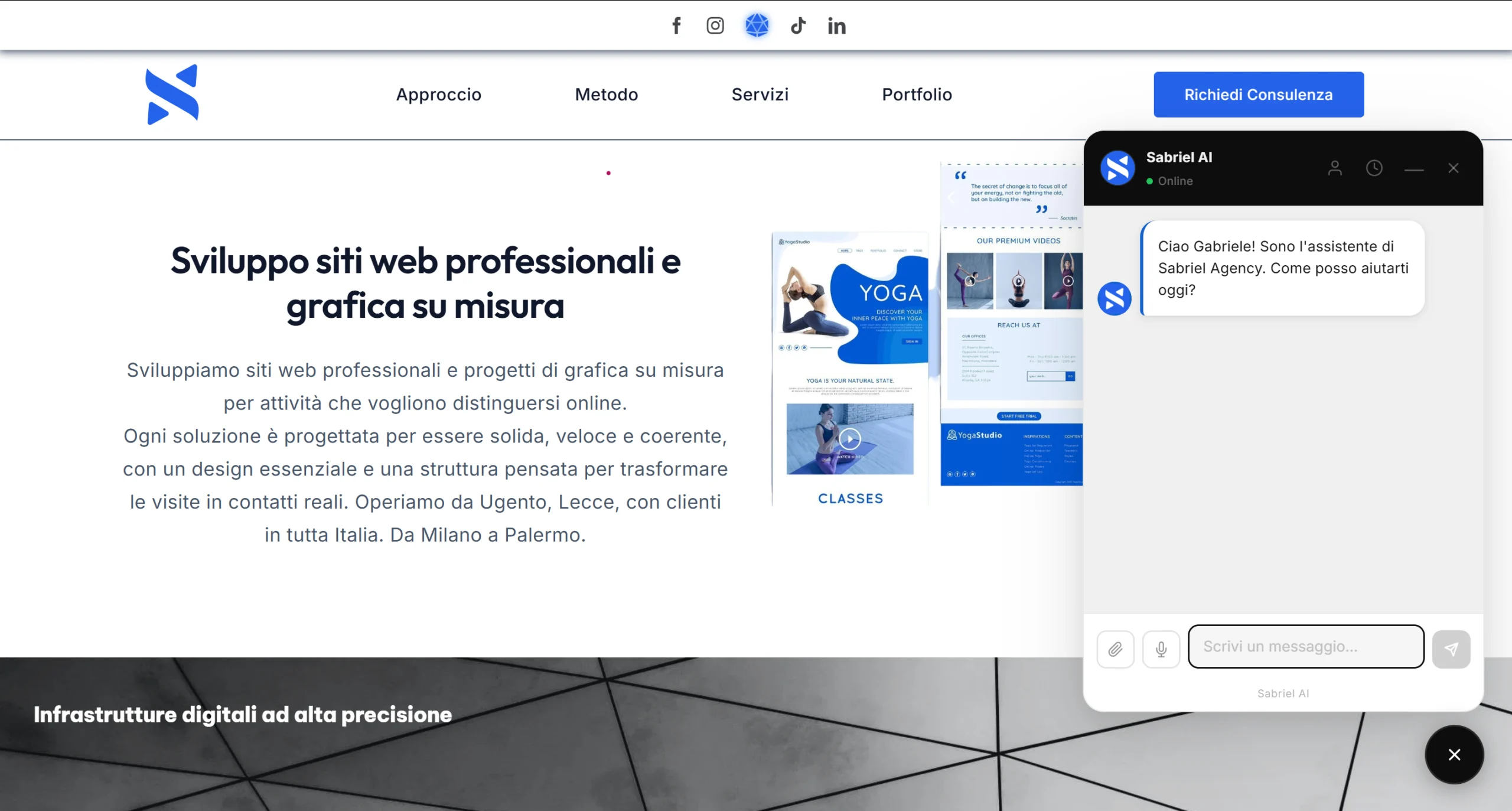
What Sabriel AI is, in one sentence
Sabriel AI is an AI Business Agent for WordPress and for custom-built websites that uses your own Google Gemini, OpenAI or Anthropic Claude API key to turn a website into a digital consultant able to know the business, answer visitors, show products and portfolio work, qualify leads, analyse websites, generate PDF quotes, book appointments, run automatic follow-ups and transfer the conversation to a human operator when the situation calls for it.
It is not an FAQ chatbot and it is not a proprietary AI model: it is the software layer that connects your site to the AI engine you choose and puts it to work on your real commercial data. For pricing and plans, see the Sabriel AI page; for configuring an individual setting, the full documentation covers every field in the panel.
Sabriel AI specifications at a glance
Everything an AI agent for websites should state openly, in a single table. Nothing rounded up to look better than it is.
| Feature | Sabriel AI |
|---|---|
| Category | AI Business Agent, commercial AI agent |
| Supported AI engines | Google Gemini, OpenAI, Anthropic Claude |
| Selectable models | 11, plus a custom model field |
| API key | The client's own, encrypted in the database |
| AI cost | Paid to the provider, no markup |
| Site knowledge | Up to 40 pages with automatic summaries |
| Languages | 9 for the interface, replies in any language |
| Voice messages | Yes, transcription handled by the visitor's browser |
| Attachments | PDFs and images |
| PDF quotes | Numbering, VAT, deposit, instalments, clauses, signature |
| Bookings | Internal calendar, no external service |
| Lead scoring | Hot, warm, cold |
| Automatic follow-ups | Hot on day 3 and 7, warm on day 6 and 14 |
| Human handoff | WhatsApp, email, phone, direct message |
| Website check | Up to 25 tests across 4 areas, PDF report |
| WooCommerce | Products, variants, attributes, prices, stock |
| Portfolio in chat | From 5 different sources |
| White label | No branding of ours even in the free version, full on paid plans |
| Configuration import/export | Yes |
| Site security protections | 9 |
| Analytics | Cookie-free |
| Smartphones | Full-screen chat that follows the keyboard |
| Accessibility | Keyboard and screen reader friendly |
| Platform | WordPress plugin, custom integration for bespoke sites |
Why an AI agent for websites is not a chatbot
The distinction is substantive, not marketing. A traditional chatbot works in a single step: question, answer. An AI agent for websites works as a complete commercial sequence: visit, understanding the request, consulting real knowledge of the site, assistance, lead qualification, proposal, quote or appointment, follow-up, and handover to a person if needed.
In practice, Sabriel AI is not an FAQ chatbot with preset answers, not a text generator, not a proprietary language model, not a platform that forces you onto a single AI provider, not a service that keeps your clients' data on its own servers, not a WhatsApp widget, not a contact form and not a booking calendar. It is a commercial software layer that uses existing AI models to turn a website into a working business agent.
Where Sabriel AI runs
A plugin on WordPress, dedicated development elsewhere
As an AI agent for websites, Sabriel AI ships as a WordPress plugin and works with business sites, professional sites, brochure sites, landing pages and WooCommerce stores. The free version is published on the official WordPress.org directory. For custom-built sites in HTML, PHP, JavaScript, a frontend framework or another CMS, we develop the integration ourselves, and at that point the assistant can also be customised beyond what the standard plugin offers: bespoke behaviour, industry-specific functions, connections to systems already running in the business. It is not a package you install on your own, it is development work, and we say so openly because promising an automatic installation where technical work is actually required would be unfair to anyone evaluating the product.
Three providers, eleven models, your key
No built-in engine, no intermediary
Unlike almost every other AI agent for websites, Sabriel AI contains no AI engine of its own. It connects directly to the Google Gemini, OpenAI and Anthropic Claude APIs, using the key the site owner chooses, owns and pays for. These are three separate native integrations, each written for its provider's own format and quirks, not one generic adapter treating them all the same.
The site owner picks the exact model from a list of eleven, four for Gemini, three for OpenAI, four for Claude, each showing its indicative price per million tokens next to the name. The recommended ones, already selected, are the cheapest of each provider: Gemini 3.1 Flash-Lite, GPT-6 Luna and Claude Haiku 5.5. If the model you use leaves the list it keeps working, and the panel suggests its replacement. If the engine refuses a request, for example because of a wrong key or used-up credit, the AI Engine page shows the reason and what to do at the top. The key and the provider's text are never saved. If a provider releases a new model not yet in the list, a dedicated field lets you type the exact identifier by hand and use it immediately, without waiting for a plugin update.
Switching engines breaks nothing: the choice only affects how the next message is processed. History, bookings and quotes stay exactly where they are.
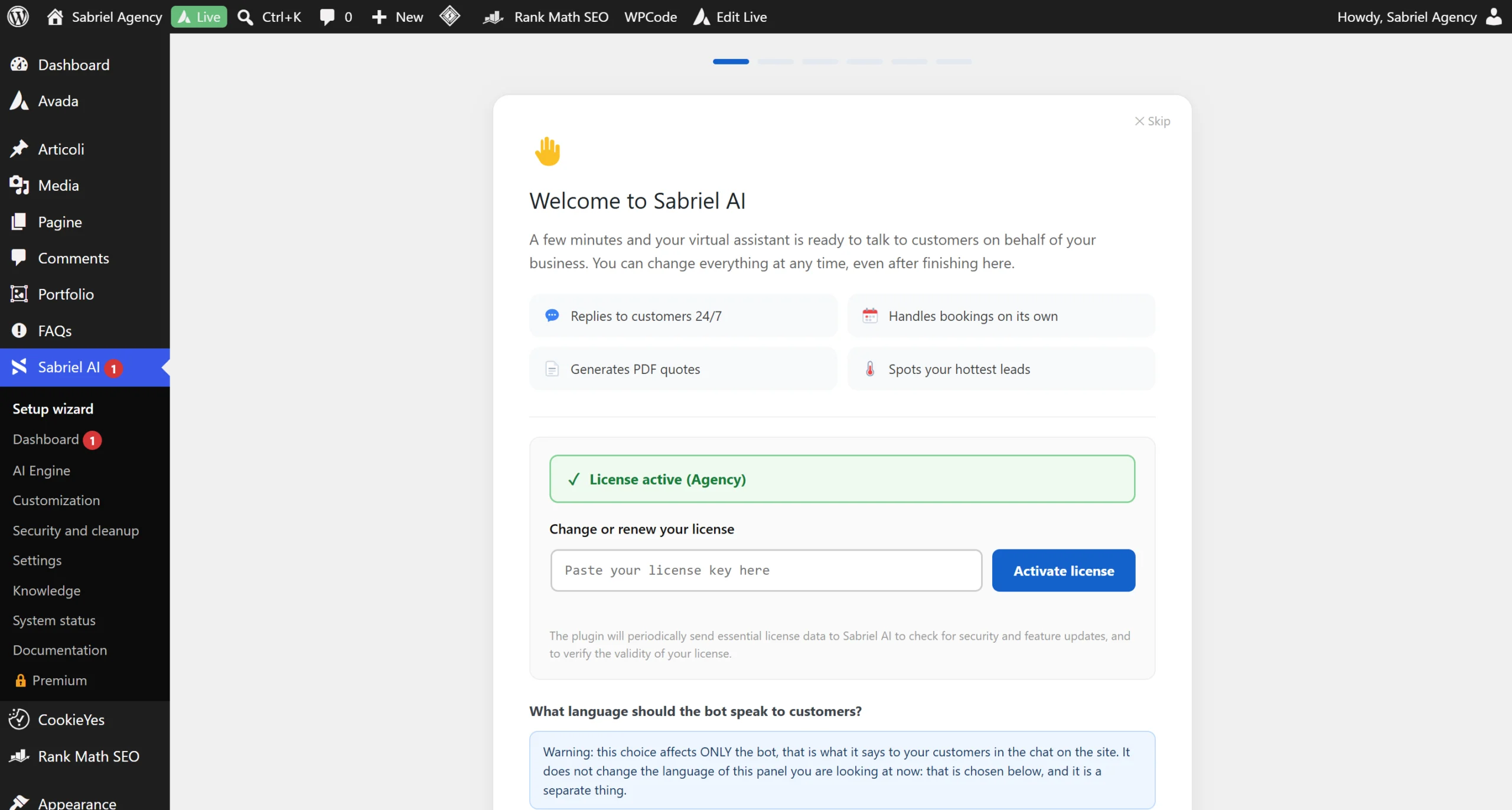
Why the key is yours
Every conversation carries a real cost paid to the AI provider. With a shared key bundled into the plugin, that cost would fall on whoever distributes it, across every site using it: unsustainable, which almost always translates into a metered subscription with a markup. With your own key, the cost stays yours and under your direct control: you see the provider's invoices, you set your spending limits, you switch engines whenever you want. Sabriel AI charges nothing per conversation and adds no markup. The key is encrypted with AES-256-CBC before being written to the database; if the server lacks the extension needed, the key is still saved but the panel states it with a warning, rather than letting you believe it is protected.
Why Sabriel AI uses so little AI
The cost of an AI agent for websites does not depend only on the model chosen: it depends mostly on how much text is sent to it with every single message. An agent that re-reads forty pages for every reply wastes both context and money, and gets worse answers as a bonus, because the model is distracted by too much irrelevant information.
Sabriel AI works the other way round: pages are read once and turned into short summaries, and with every message the bot receives only the summaries plus the full text of the one page that relates to that question. Reading a page is a single request to the AI engine, repeated only when that page changes.
- Site knowledge is not resent in full with every message
- Information retrieval is targeted to the specific question
- The default recommended model is already the cheapest one that handles a commercial chat well
- The fallback to human contact details consumes no AI request at all
- A configurable daily limit stops a single visitor or an automated script from draining your key
Sabriel AI reads your site and answers with what is written there
Up to 40 pages, with summaries you can edit
There is a substantial difference between an assistant that knows where a page is and one that knows what is written on it. You tick up to 40 pages, the bot reads them one by one and writes a summary for each, which you see immediately, so you can check with your own eyes what it understood. The summary is editable by hand, and the bot keeps its own version so you can revert with one click.
The 40-page limit is technical rather than commercial: everything the bot must keep in mind is repeated to it with every message, and loading it with hundreds of pages would not make it better informed, it would make it forget the other instructions, such as preparing a quote or offering an appointment.
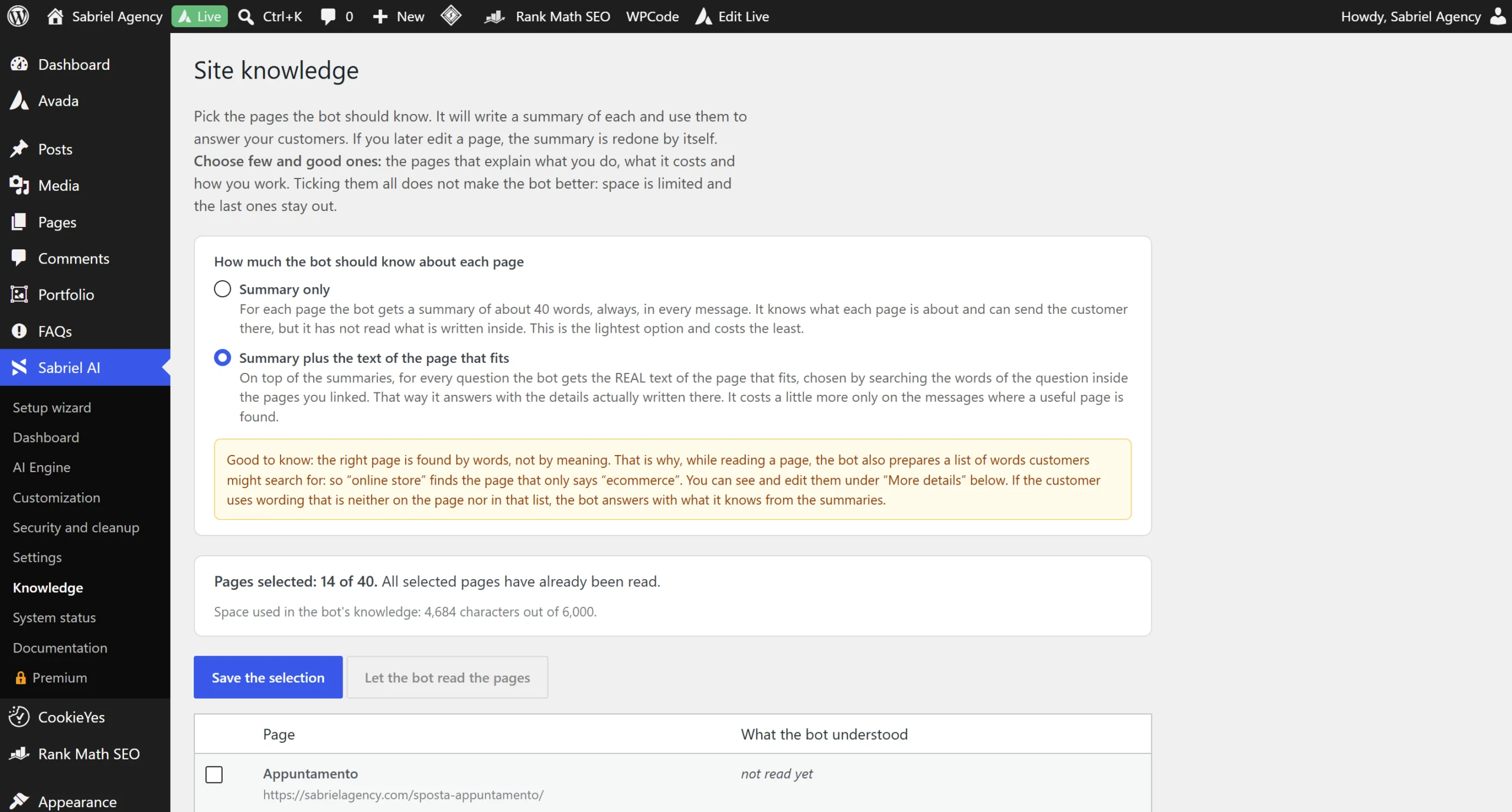
- It updates itself. Edit a page and the summary is rewritten minutes later. Bin a page or move it to draft and Sabriel AI stops mentioning it immediately
- It finds the page using the customer's words. While reading, Sabriel AI builds a list of synonyms, so "online shop" finds the page that only says "e-commerce". The list is editable by hand
- Password-protected content stays out. A confidential case study never reaches the chat, even though WordPress still counts it as published
- It does not make things up. If the information is not written on the pages, Sabriel AI says so and offers to put the visitor in touch
- You can verify what it actually read. A dedicated field answers the question "did Sabriel AI read this sentence?", showing where it sits in the page
It knows your business too, not only your pages
Beyond the pages, Sabriel AI knows the commercial details you enter in the panel: business name, owner, tagline, support email, phone, WhatsApp, website, address, VAT number, year founded and operating area. It knows the service price list with names, prices and descriptions, the currency, the payment structure with deposit and balance, the threshold above which instalments are offered, and your real opening hours. The principle is always the same: it takes prices from your list and does not invent them. If a customer asks for a service you do not offer, Sabriel AI recognises this from your sector and your price list, says so politely, and offers neither a quote nor an appointment for something you do not do.
Sabriel AI speaks nine interface languages and replies in any language
The panel in your language, the chat in the customer's
The languages available for the widget interface and the admin panel are nine: Italian, English, Spanish, French, German, Portuguese, Dutch, Russian and Indonesian. The panel language and the bot language are two separate, independent settings, because the person configuring the site and the people writing in the chat are almost always different. And there is a third layer: with the "the bot speaks every language" option on, Sabriel AI replies in the customer's language from their very first message, even a language outside those nine. The same rule applies to what it writes inside an appointment or a quote: reason, title, line items and description come out in the language of the conversation, because it is the customer who reads them. The emails to the customer, such as appointment confirmations and changes, also go out in the bot's language, with dates and months written in the right language.
Voice messages, with transcription handled by the browser
A microphone next to the text box lets visitors speak instead of typing. Transcription is handled by the browser’s speech recognition feature; depending on the browser and configuration, audio may also be processed by an external service. The transcribed text is sent to the AI engine. The feature is available where the browser supports it. PDFs and images can be analysed by the selected AI model when compatible.
PDF quotes generated during the conversation
Sabriel AI produces a real document, not a number dropped into the chat
This is one of the features that clearly separates an AI agent for websites from a purely informational assistant. Sabriel AI prepares a downloadable document the client can sign.
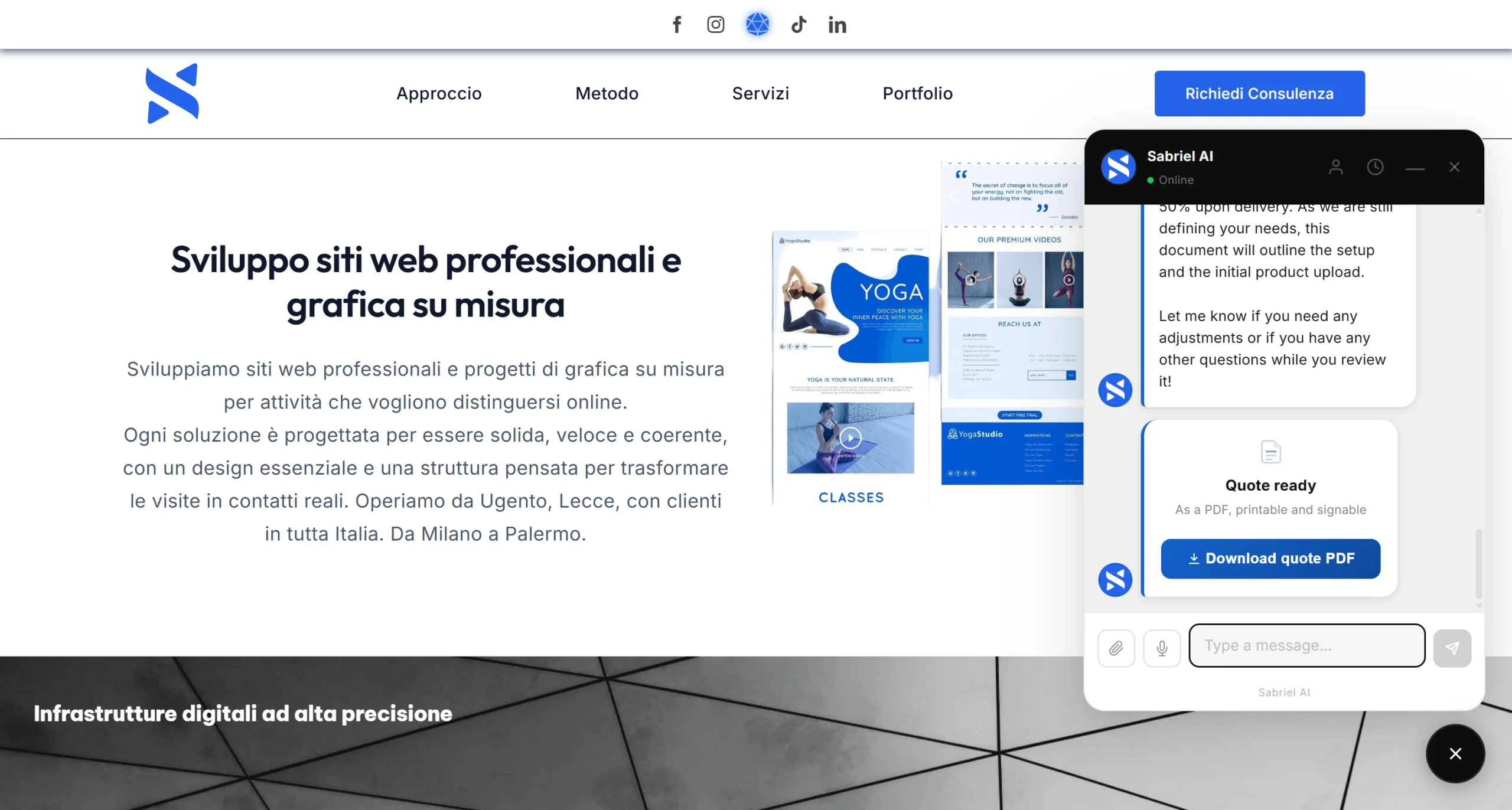
- Sequential numbering by year with the prefix you choose, for example SAB-2026-0001. The quote is recorded as soon as it appears in the chat, with its number, even if the client does not download the PDF: you see it in the dashboard right away and the email goes out to you and to them
- Logo, colours and fonts matching the template you set, with links to your privacy policy and terms printed on the document
- VAT, deposit, payment structure and instalments calculated from the percentages you define, which must add up to exactly 100 because Sabriel AI uses them to calculate real amounts
- Contract clauses written by you, with a heading and body text, as many as you need, plus space for date and signature. Leave them empty and the conditions page is not printed at all, rather than coming out blank
- Protected folder and unpredictable file name. Every download link carries a signed token calculated on that specific document and the client's email address: without that signature the download does not start, and changing a number in the URL will not open somebody else's quote
- A real check against the hosting. Sabriel AI tries to download a dummy file from the protected folder itself: if it succeeds, the server is ignoring the protection, and it tells you so and hands you the exact rule to pass to your hosting support
- High-amount alert. Above a figure you decide, the quote reaches you flagged by email and highlighted in the dashboard. The document is still delivered: this is a warning for you, not a block
- Corrections without duplicates. If the client corrects themselves straight away, Sabriel AI regenerates the same quote under the same number and the new PDF replaces the old one, tagged as amended with the reason for the change
- Manual creation. From the panel you can prepare a quote by hand, for the client who called you: it comes out identical to those generated in chat
Sabriel AI bookings, with an internal calendar
No Google Calendar, no Calendly
An AI agent for websites that promises appointments has to be able to take them for real: Sabriel AI books them directly in the chat, using its own calendar. It requires no external booking service, so no extra subscription and no account to manage elsewhere.
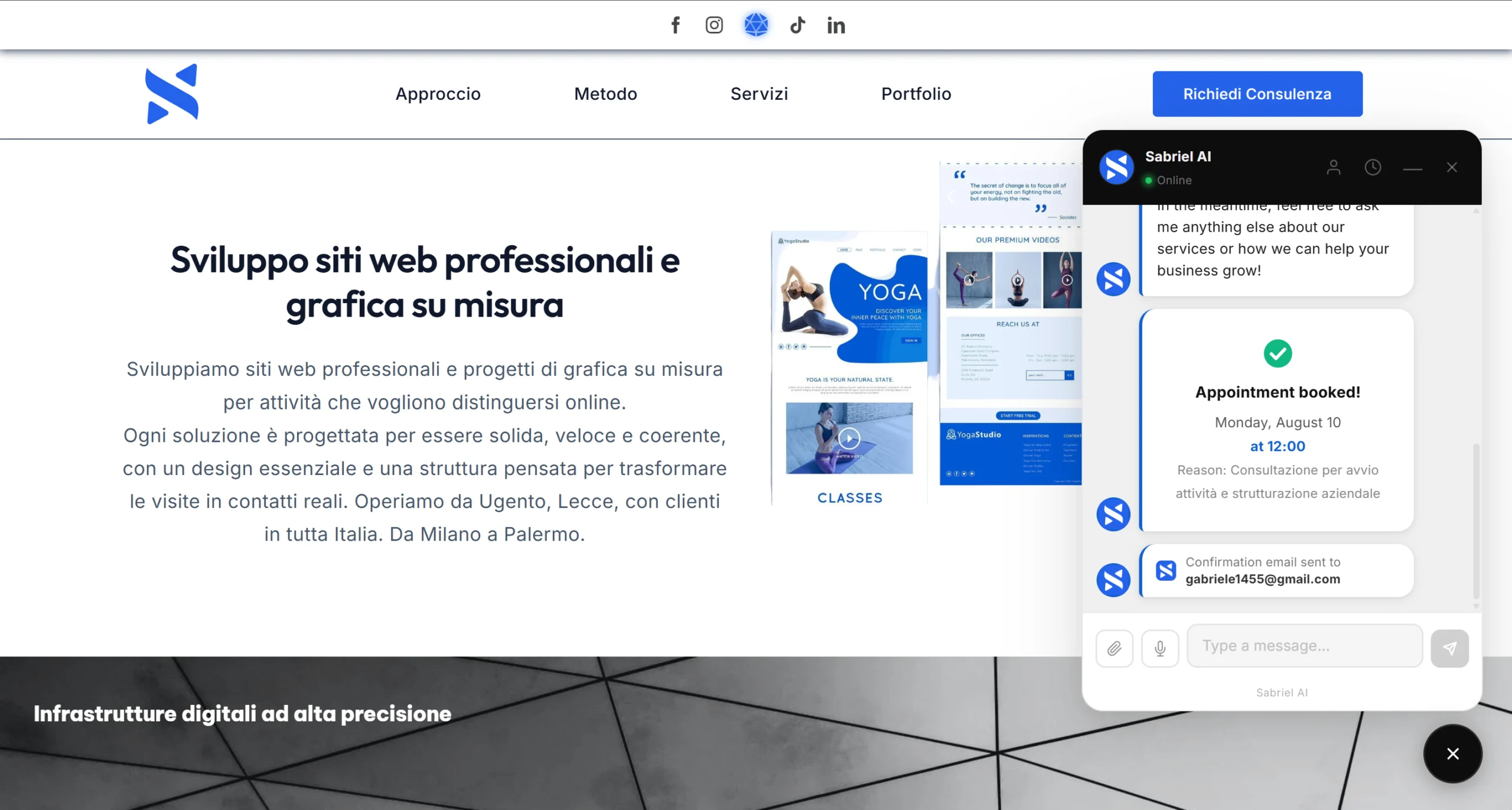
- Real opening hours. The calendar only offers slots inside your opening hours, and an appointment never runs past closing: if you close at 22:00 and the appointment lasts 4 hours, the last slot offered is 18:00
- Shifts crossing midnight. A 22:00 to 02:00 shift is split automatically between the evening and the following night, because an appointment at one in the morning belongs to the next day: without that split it would land in the calendar with the wrong date, and the same wrong date would reach the client in the confirmation email
- Duration and capacity. Duration configurable from 5 to 1440 minutes, and the number of people who can book the same slot before it counts as full
- Dates said in words. The bot understands "tomorrow at 8 pm", "tonight", "tomorrow morning" or "3pm", in other languages too, without mistaking for a day words that are not one
- It also reads dates written in full, like "29 October" or "29/10", in all 9 languages, and times with a dot like "at 10.30": if you are closed that day, the bot says so straight away. Even with bookings switched off, for "are you open tomorrow?" or "in 5 days?" the plugin checks your hours by itself to see whether you are open that day.
- Your site's time zone. Calendar and times follow your site's time zone, also for visitors writing from another country and when the clocks change
- A 24-month horizon. Past that date the calendar stops scrolling, which prevents appointments booked for the wrong year that nobody will ever honour
- One active appointment at a time. The same email address cannot hold two future appointments at once: anyone who already has one receives the link to move the existing booking
- Safe rescheduling and cancellation. Sabriel AI changes nothing on the spot: it emails a personal link to the address the client booked with, not the one they type in the chat. Without that choice, anyone who knew a client's email address could cancel their appointment
- Manual creation from the panel, free of the 24-month limit and the single-appointment rule, with the choice of whether to notify the client
Sabriel AI tells you who is ready to buy, then follows up
Hot, warm, cold, with the reasoning
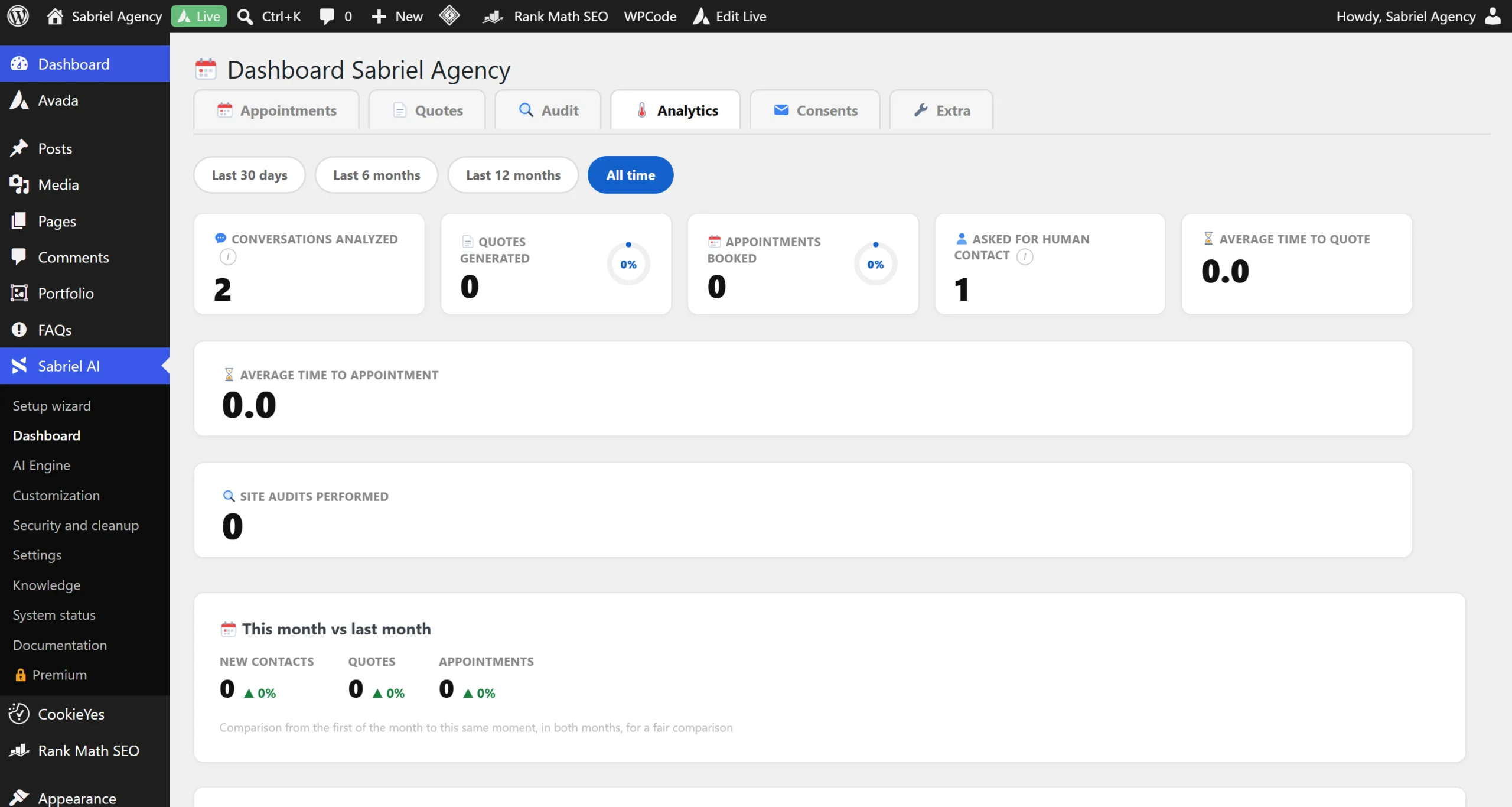
Every conversation handled by the AI agent for websites is scored with the reasoning behind it and the service requested, and the assessment is recalculated when the visitor comes back to write again. The result is visible in the dashboard and filterable: it exists so you know who to call back first instead of treating every lead the same.
| Lead score | When the follow-up goes out |
|---|---|
| Hot lead | On day three and day seven |
| Warm lead | On day six and day fourteen |
| Cold lead | No follow-up |
Cold leads get nothing on purpose: pushing people who are not interested only produces unsubscribes. Every email carries an unsubscribe link, and the sequence stops by itself once the client books or asks for a quote. The reminders can be switched off with a box in Settings, Modules and limits: the Thermometer keeps scoring your contacts, but no email goes out.
Sabriel AI knows when to step aside
Not "you can talk to an operator". Sabriel AI understands when it needs to make room for a person, and when that happens it shows your real contact details, WhatsApp, email and phone, alongside a box where the visitor writes their message and sends it to you straight away. That message reaches your contact inbox with the sender's name, email address and phone number, and consumes no AI request at all. It is the way out for the visitor who does not want to talk to a bot: without it, the only option would be closing the chat and hunting for contact details on the site, and at that point most people leave.
The summary that reaches you carries the context of the conversation: who the client is, what they want, what was discussed. You do not start from scratch on the phone. The email summary does not only go out when the visitor closes the chat with the X: it also goes out when they leave the page, switch tab or, on a phone, move to another app. On a computer the page genuinely closes and the browser gives warning in time; on a phone it does not, the system freezes the page and the warning never arrives, so the plugin also listens for the moment the page simply stops being visible.
A visitor returning from the same device is recognised and the conversation can resume from the previous context, without cookies: name and conversation stay in their own browser's storage. For analytics and for the anti-abuse limits the widget also derives a short code from the browser, which stays on your own site and cannot be turned back into the original information. In the European Union, reading that information counts as accessing the device: the documentation lists every item to mention in your privacy notice, and analytics can be switched off without changing anything in the chat.
Sabriel AI shows work and products inside the chat
A blog post is not a client project
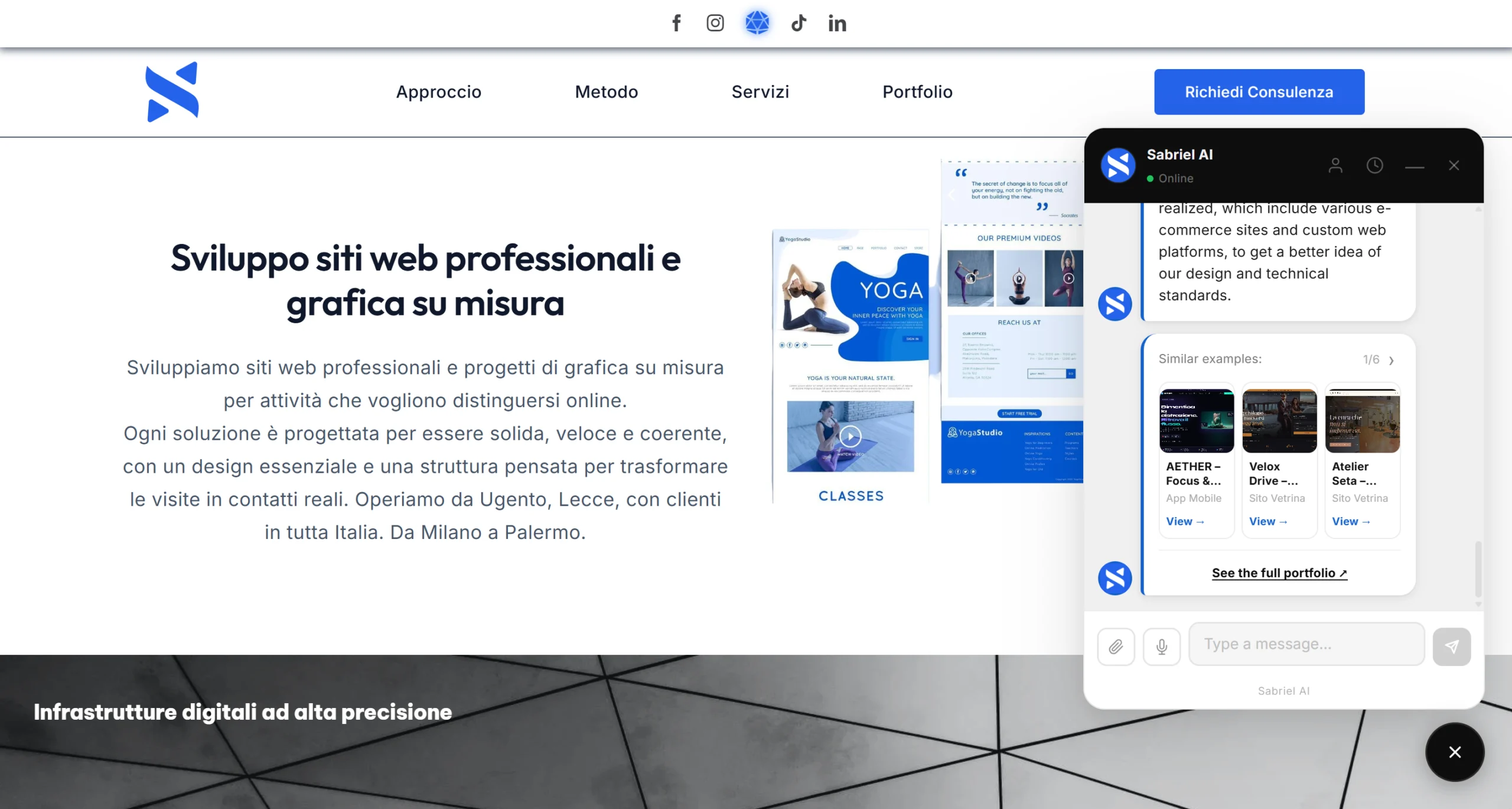
When a client asks to see previous work, Sabriel AI shows cards with a real image, title, description and a link to the project. Five sources are possible: a list written by hand in the panel, WooCommerce products, the theme's portfolio, the portfolio page listed in the links, and as a last resort blog posts with a featured image.
Here is a distinction almost no assistant makes, and the one that avoids the most common embarrassment: a blog post is not work done for a client, and neither is a product for sale. With a source containing only posts or only products, Sabriel AI never promises it can show past work, does not do it even if the client insists, and shows them only for what they are.
WooCommerce, with variants and stock
Sabriel AI uses the catalogue you already have, without rebuilding it by hand. For every product it knows the description, price, SKU, stock, categories, tags, and crucially variants and attributes: that is what lets it answer "do you have any dishes without sauce?" or "I'd like a black hoodie" instead of listing the whole catalogue. Products on sale reach the bot with the price to pay and the previous price next to it, and the search finds products even with foreign words written with accents. It understands how customers ask in all nine languages, even with the words in a different order or run together, knows which product costs least, also in the size or colour asked for, and when something is not in the catalogue it says so honestly instead of offering something that merely looks like it. Product cards are looked up at the moment of the question, so they take up none of the 40 site-knowledge slots.
The website check, and why this is an AI agent for websites built for agencies
Up to 25 tests, with a PDF report
A visitor can request a free check of their own website from the chat. Sabriel AI runs up to twenty-five tests, grouped in the report into four areas, and returns a percentage score: green from 80 up, amber from 55, red below. The report arrives as a PDF to both the visitor and you.
One detail that matters: when a test cannot answer with certainty, that line is left out of the report instead of turning into a negative result, and if the site builds its pages inside the browser the report says which tests it left out and why. Better one line missing than one wrong line on a document that ends up in a prospect's hands.
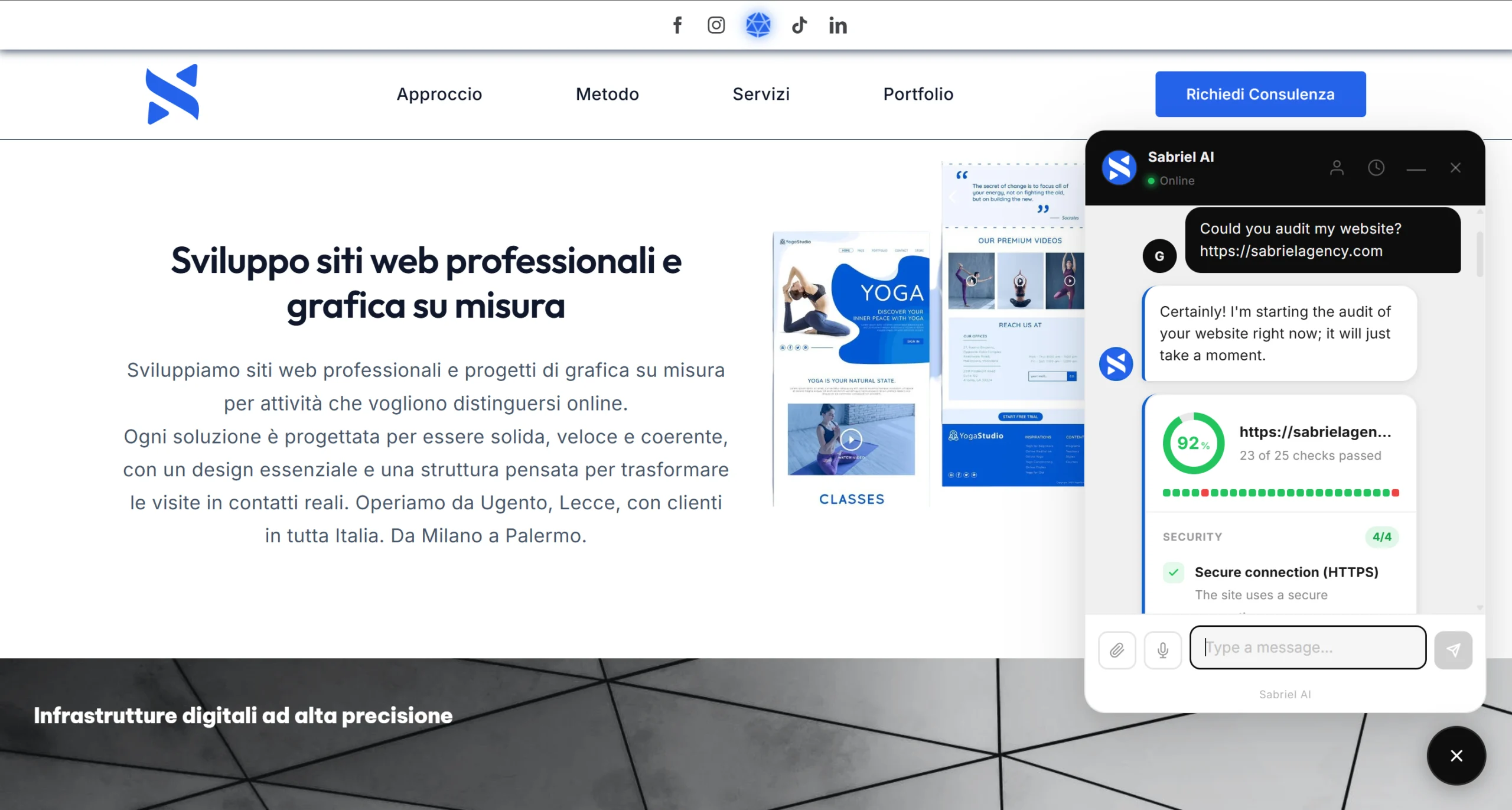
| Area | What it checks |
|---|---|
| Security | Secure connection, redirect to https, certificate expiry, resources loaded over plain http |
| Google visibility | Title and description, a single H1, declared language, canonical, structured data, robots.txt, sitemap, error page, image alt text |
| Experience and speed | Mobile viewport tag, link sharing preview, favicon, response time, page weight, compression, caching |
| Trust | Privacy and cookie policies, clickable contact details on the homepage, copyright year |
The flow is this: a visitor lands on the agency site, asks about services or says they want their site rebuilt, Sabriel AI offers the free check, analyses their site and finds real problems, delivers the PDF report to both the prospect and the agency, the lead is qualified and scored, the conversation moves on to services, quote, appointment, handover to the agency if needed.
And here is the most commercially significant choice in the whole product: the report identifies the problems but does not explain how to fix them. The fix stays the reason that prospect needs the agency. The AI does not necessarily have to sell the service itself: identifying the problem and creating the commercial opening is enough. With white labelling, configuration import and export and multi-site licences, every site you manage becomes another place where the same AI agent for websites works for you.
Security, privacy and data ownership in Sabriel AI
Nine site protections, all reversible
Beyond protecting itself, Sabriel AI includes a package of protections for the site it lives on. All of them are off at installation: Sabriel AI changes nothing about your site's behaviour until you decide, and every protection is reversible without a trace, because none of them modifies your site's files.
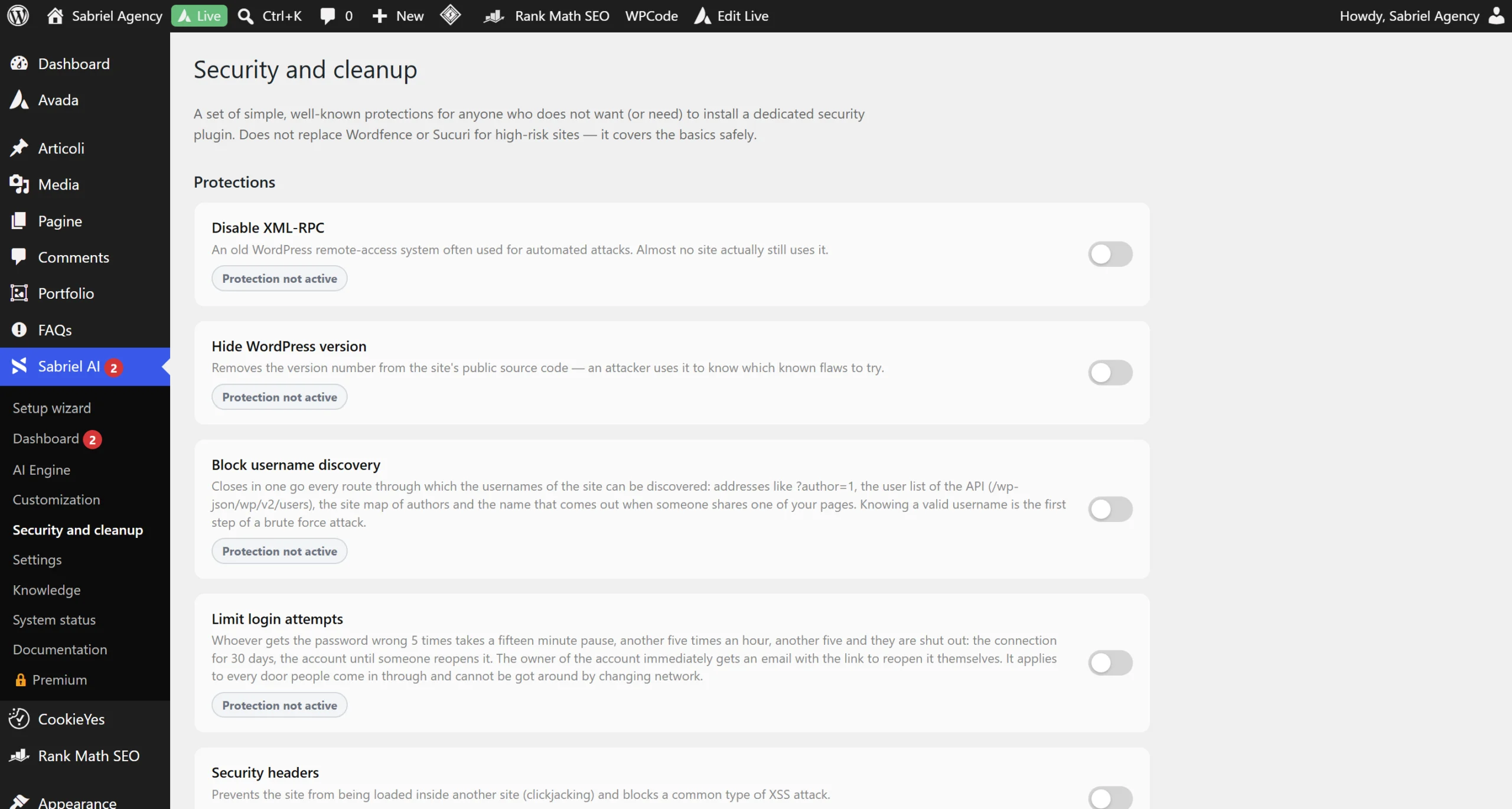
- Disable XML-RPC, switching off every command, including the pingback one that WordPress's standard block would let through and which is precisely the one used in large-scale automated attacks
- Security headers against clickjacking and a common class of XSS attack
- Brute force protection with two independent scales, one on the connection and one on the account. Both are needed: the connection one alone is bypassed by switching networks, the account one alone would let anyone lock you out by hammering your username
- Hide the WordPress version, removing the version number from the site's public source code: an attacker uses it to know which known flaws to try
- Block username discovery, closing four separate routes including the author sitemap and the link-sharing response, which on a great many sites contains the username or the email address
- Generic login error message, which no longer confirms whether the password or the username was wrong
- Disable the file editor in the admin panel, so anyone who gets admin access cannot use it to insert malicious code into theme and plugin files
- Hide the readme and licence files, with a real check: Sabriel AI tries to download them itself and, if the server serves them anyway, tells you openly instead of promising a protection that is not there
- Hide the login page, with a pre-emptive check on the address you choose so you cannot lock yourself out of your own site
Alongside these Sabriel AI offers database cleanup, manual or scheduled.
Your data stays in your own site's database
Conversations, appointments and quotes are not stored in a central Sabriel database. To process requests, the chosen AI provider receives the necessary data, which may include messages, context, business information and attachments. Disposable-email checking sends the domain to an external service and can be disabled; Mailchimp and licence verification follow the stated settings and conditions. Represent these flows in the website’s privacy notice. Under the chat button a line tells the visitor that the conversation goes through an artificial intelligence service and links to your privacy notice, and the plugin suggests the text to add to your notice based on the features you have switched on.
On GDPR, Sabriel AI registers itself with WordPress's native personal data export and erasure tools. The export delivers name, email, phone, appointments, quotes, requested checks, consents with dates and the full text of conversations. Erasure deletes conversations entirely and anonymises appointments, quotes and checks: name, email and phone disappear and the record stays without a name, because it contains amounts and dates that many countries require to be retained for tax purposes. The PDF files of quotes and checks, which carry name and email, are deleted too: it is a switch that is on by default, and if you choose to keep them WordPress reminds you and you can download them from the dashboard.
- A dashboard with appointments, quotes, website checks, analytics and consents in one place, with export to a file that opens in Excel
- Import and export of the whole configuration between sites: tone of voice, price list, opening hours, colours, PDF template and portfolio items
- Full white labelling on paid plans: logo, bot name, over 30 colours, 9 fonts, and no branding of ours in the chat
- History recoverable from another device through a signed link
- Mailchimp with double opt-in, an unsubscribe link in every email and a dated consent register
- Cookie-free visit statistics, kept for 90 days
- Quotes and appointments you can also create by hand from the panel
What happens if the licence expires
The basic chat carries on working. Paid-plan features switch off, but the settings stay exactly as you left them and are not reset. Client data stays in the database and stays exportable: the dashboard sections remain visible, no longer operational, with the export button made more prominent precisely in that case. There is no mechanism holding your data hostage to force a renewal.
Available editions of the AI agent for websites
| Plan | Sites |
|---|---|
| Free | Free forever, install it on as many sites as you like |
| Pro | Licence for one site |
| Studio | Licence for five sites |
| Agency | Licence for twenty sites |
The free version includes the AI chat, no message cap beyond the one you set yourself, main colours and logo with no branding of ours, the chat in every language and the panel in nine, voice and attachments, handover to a person by WhatsApp, email and phone, the chat summary by email, a visit dashboard for the last 30 days and returning-visitor recognition on the same device, with updates from WordPress.org. Paid plans add the full dashboard and client management, full customisation, bookings, PDF quotes, lead scoring and analytics, the website check, recoverable history, portfolio and products, site knowledge, Mailchimp sync, security protections and database cleanup.
Which businesses an AI agent for websites suits
| Business | Typical conversation path |
|---|---|
| Web agency | Prospect's site checked, problems identified, report delivered, lead qualified, quote, appointment |
| E-commerce | Product questions, catalogue consulted with variants and stock, recommendation, purchase |
| Professional practice | Services presented, prices from the list, request qualified, appointment booked |
| Restaurant | Menu and dishes with ingredients and variants, real opening hours, table booking |
| Tradesperson | Service described, request captured, quote, direct contact |
| Real estate | Property details, interest qualified, viewing appointment |
| Salon and personal services | Service, price, real calendar availability, booking |
| B2B business | Services, qualification, lead scoring, handover to sales with the context already prepared |
Traditional chatbot and AI agent for websites compared
| Traditional chatbot | Sabriel AI |
|---|---|
| Answers | Answers and converts |
| Preset FAQ replies | Real knowledge of the site's content |
| Generic links | Contextual information |
| "Contact us" | Handoff with conversation context |
| External calendar | Bookings built in |
| Quote written by hand afterwards | PDF quote during the conversation |
| No qualification | Hot, warm and cold lead scoring |
| No follow-up | Automatic follow-ups by lead score |
| No technical audit | Website check with report |
| Separate catalogue | Products inside the chat |
| Separate portfolio | Portfolio inside the chat |
| Provider's key hidden away | The client's own API key |
| Model imposed | Gemini, OpenAI or Claude, your choice |
| Cost per conversation | No Sabriel markup per conversation |
Compared with general-purpose platforms for building AI agents, the difference is of a different kind: those are tools for building highly customised agents from scratch, while Sabriel AI arrives already configured as a commercial agent for websites, with quotes, bookings, portfolio and website checks ready to go.
Frequently asked questions about Sabriel AI
What is Sabriel AI?
An AI Business Agent for websites: software that turns a site into a commercial assistant able to inform, qualify, sell, book and generate quotes.
Is Sabriel AI a chatbot?
It technically includes a chat, but the label undersells it: a chatbot answers, while Sabriel AI runs a commercial conversation through to a quote, an appointment or a handover to a person.
Is Sabriel AI an artificial intelligence model?
No. It uses existing models from Google, OpenAI or Anthropic, chosen and paid for by the site owner.
Does it work with WordPress?
Yes, it ships as a WordPress plugin and is public on the official WordPress.org directory.
Does it work with custom sites or other CMS platforms?
Yes. For bespoke sites built in HTML, PHP, JavaScript, a frontend framework or another CMS, Sabriel Agency develops the integration, and at that point the assistant can also be customised beyond what the standard plugin offers.
Does it work with WooCommerce?
Yes, it uses the existing catalogue with products, variants, attributes, prices and stock.
Which AI engines does it support?
Google Gemini, OpenAI (ChatGPT) and Anthropic Claude.
How many AI models can I choose from?
Eleven listed, four for Gemini, three for OpenAI and four for Claude, plus a field for entering a new model by hand as soon as one is released.
Do I have to buy AI credits from Sabriel?
No. There are no credits and no per-conversation charges: you pay usage directly to the AI provider you chose.
Can I use my own API key?
Yes, and it is the only way it works: the key is yours and stays yours.
Can I switch AI provider later?
Yes, at any time, even with conversations already under way. No data is touched.
How is the API key protected?
It is encrypted with AES-256-CBC in the database. If the server does not support encryption, the panel says so openly rather than implying otherwise.
How much AI does Sabriel AI consume?
Very little, by design: site knowledge is not resent in full with every message, and the default recommended model is already the cheapest one that handles a commercial chat well.
How many pages of my site can it know?
Up to 40, with a verifiable and editable summary for each one.
Do the page summaries update themselves?
Yes, whenever the page changes, with nothing for you to remember.
Are password-protected pages read?
No, they stay out even though WordPress still counts them as published.
What does it do when it does not know the answer?
It says so and offers to put the visitor in touch. It does not invent prices and it does not invent page URLs.
Can it read PDFs and images sent by the visitor?
Yes, where the chosen AI model supports that content type.
Does it accept voice messages?
Yes. Transcription is handled by the browser; whether processing is local or uses an external service depends on the browser and configuration. The transcribed text is sent to the AI engine.
How many languages does it speak?
Nine for the interface and panel (Italian, English, Spanish, French, German, Portuguese, Dutch, Russian and Indonesian), and it replies in the customer's language even when that language is outside the list.
Can it switch language mid-conversation?
Yes, it follows the customer's language from their very first message.
Can it book appointments?
Yes, using an internal calendar based on your real opening hours.
Do I need Calendly or Google Calendar?
No, neither. The calendar is built into the plugin.
Can it generate PDF quotes?
Yes, during the conversation, with sequential numbering, VAT, payment terms, clauses and space for a signature.
Can it handle deposits and instalments?
Yes, following the payment structure you define in the panel.
Can I create quotes and appointments by hand?
Yes, from the panel, for clients who contact you by phone or email. The document comes out identical to those generated in chat.
Does it score leads?
Yes, as hot, warm or cold, with the reasoning behind the score and the service requested.
Does it run automatic follow-ups?
Yes. Hot leads on day three and day seven, warm leads on day six and day fourteen, cold leads none. The sequence stops by itself once the client books.
Can it hand the conversation to a person?
Yes, showing WhatsApp, email and phone and allowing a direct message that consumes no AI request.
Can it show previous work?
Yes, with cards in the chat from five different sources, distinguishing genuine client work from blog posts and products for sale.
Does it run a technical check on a prospect's website?
Yes, up to 25 tests across four areas, with a PDF report and a percentage score.
Does the report explain how to fix the problems?
No, and deliberately so: it identifies the problems and leaves the fix to the agency, creating the commercial opening.
Is it suitable for web agencies?
Yes, it is one of the main use cases, helped by white labelling, configuration import and export and licences for five or twenty sites.
Can I remove the Sabriel branding from the chat?
Yes. In the free version our branding does not appear at all, and on paid plans the chat becomes entirely yours: over 30 colours, 9 fonts, button shape and welcome message.
Can I copy the configuration from one site to another?
Yes, through export and import, excluding API keys which stay encrypted and separate.
Does data pass through Sabriel Agency's servers?
AI operations do not, they go straight from your site to the provider you chose. On paid plans, essential licence data is sent periodically to verify validity.
Where are conversations stored?
In your own site's database.
Is it GDPR compliant?
The plugin provides the necessary tools, integrating with WordPress's personal data export and erasure and with a consent register. Compliance then depends on how you use the plugin and what you write in your privacy notice: no software can make you compliant on your behalf.
Does it use cookies?
No, no cookies. The widget does use the visitor's browser storage and a code derived from the browser for analytics and anti-abuse limits: the documentation lists every item to mention in your privacy notice. Analytics can be switched off entirely.
Does it slow the site down?
It is designed not to: its own script and stylesheet, no external fonts, no third-party trackers, and a call to the AI engine only when one is genuinely needed.
What happens if a visitor abuses the chat?
A configurable daily message limit stops automated use, and the dashboard shows how many suspicious requests were blocked.
What happens if the licence expires?
The basic chat carries on working, paid features switch off, and settings and data remain and stay exportable.
Can I delete all the data?
Yes, both through WordPress's native tools and through full deletion from the plugin's security page.
Is there a free version?
Yes, free forever and public on the official WordPress.org directory. Being free, you can download it and install it on as many sites as you like: it is the paid editions that are tied to a licence for one, five or twenty sites.
An AI agent for websites is judged by what it makes happen
Sabriel AI is developed and maintained by Sabriel Agency, a digital studio based in Ugento, in the province of Lecce, working across Italy. If you want to understand how it would work in your specific case, or your site is not on WordPress and you need a custom integration, let's talk.
Last updated: October 2026